Last Updated: October 18, 2026.
A user-friendly smartwatch should make everyday tasks easier, not add another complicated screen to your day. Depending on the model and phone compatibility, a smartwatch can show calls and messages, track activity and sleep, set reminders, play music, and provide quick access to useful apps. The best choice depends on which features you will actually use, how comfortable the watch feels, its battery life, and how easily you can read and navigate its screen.
Quick Answer: A smartwatch is most useful when it gives you quick access to notifications, activity tracking, timers, navigation, and selected health insights without making you reach for your phone. For a user-friendly experience, prioritize a clear display, simple controls, reliable phone compatibility, comfortable fit, battery life that suits your routine, and privacy settings you understand. Features and accuracy vary by model, so check the manufacturer’s specifications before buying.
Written by Abdul Khader, watch enthusiast, researcher and writer at Topreviewd.
Key Takeaways
- Smartwatches are useful for quick notifications, everyday activity tracking, reminders, and convenient access to selected phone features.
- Fitness, heart-rate, sleep, GPS, music, calling, and water-resistance features vary by device and may need a compatible phone, app, or subscription.
- Wrist-based health readings can help you notice patterns, but they do not replace medical assessment or professional-grade testing.
- Comfort, display readability, simple controls, phone compatibility, and battery life are just as important as the feature list.
- Review privacy permissions and choose a watch that supports your routine instead of paying for features you will not use.
Best User Friendly Smart Watch
1. Reliable Fitness Tracking

Fitness tracking is one of the most practical smartwatch features. Depending on the model, a watch may record daily steps, workout duration, estimated calories, distance, heart rate, and sleep patterns. These measurements can help you notice trends and stay motivated, but the available metrics and their accuracy differ between devices.
Common fitness features include:
- Count your steps (in-built pedometer)
- Measure heart rate on supported models and review the limits of each sensor
- Count your calories burned
- Display distance traveled
- Keep track of your exercise activities
- Monitor your sleeping quality and schedule
- And many more other functionalities.
The fitness-feature landscape is constantly changing as wearable technology evolves.
Some models can notify you about selected readings or patterns, such as an unusually high or low heart rate, when the feature is supported and configured. Do not assume a smartwatch can measure blood pressure or detect a medical condition. Built-in GPS can record outdoor routes without a phone on supported models, while other watches rely on the phone’s GPS.
Depending on the model, workout apps may provide exercise instructions or activity summaries that can be viewed without a continuous mobile-data connection. For more on supported functions, see Google’s Official Guide to Wear OS Features.
You can also check your energy levels throughout the day and schedule your workouts and rest time accordingly. These features are especially beneficial to people who want to keep regular tabs on the quality of their health.
2. Alerts and Notifications
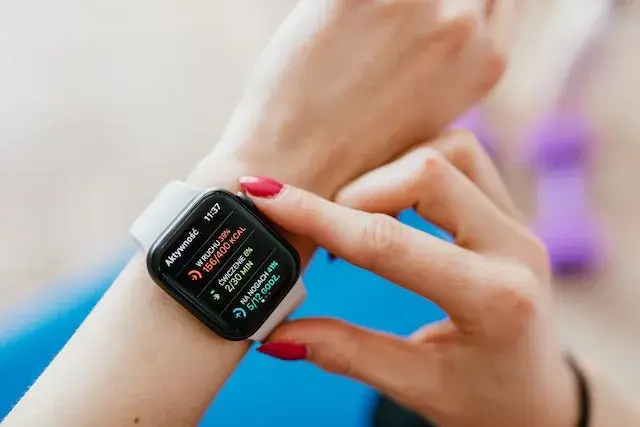
You are able to sync up your smartwatch with your phone so that you’re always notified of incoming calls and important messages.
Smartwatch users are also able to reply to their notifications immediately and efficiently through some pre-set replies.
Some smartwatches will also show your social media notifications such as Facebook, Twitter, Whatsapp, Snapchat and even allow you to interact with the application. No need to fumble for your phone while on the go.
Smartwatches are also able to notify their wearers of set reminders, emails, and even pre-planned events recorded in the calendar app.
3. Sleep Detection Features
Many smartwatches estimate sleep duration and sleep stages using a combination of movement and, on supported models, heart-rate or other sensor data. These estimates can help you compare patterns over time, but they are not a clinical sleep study and may not identify sleep disorders.
Consistent sleep and wake times, a comfortable fit, and wearing the device according to its instructions can help make the tracking data more useful. Treat sleep scores as general wellness information rather than a diagnosis.
4. Streaming Music
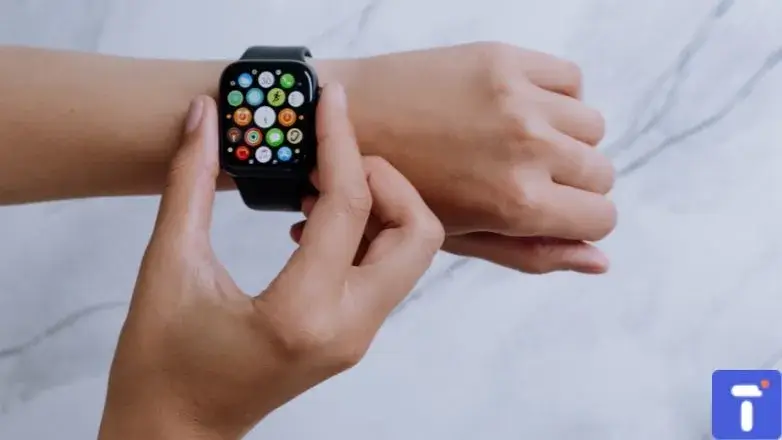
Some smartwatches let you control music playing on your phone, while selected models can download playlists or play music directly to Bluetooth headphones. Offline playback depends on the watch, music service, available storage, subscription terms, and whether tracks have been downloaded in advance. Streaming over Wi-Fi or cellular, where supported, can use more battery.
5. Water-Resistant
Water resistance can be useful for exercise and everyday wear, but ratings differ by model and do not mean every watch is safe for swimming, diving, hot showers, or high-pressure water. Check the manufacturer’s guidance for the exact model and follow its limits, including any instructions about water exposure, buttons, salt water, and drying.
Other convenient features may include weather, alarms, timers, calendar events, navigation prompts, contactless payments, and finding a misplaced phone. Availability depends on the watch, phone, region, and app support.
How Useful Is a Smartwatch for Your Health Today?

A smartwatch can be useful when its features fit your routine. It can reduce how often you reach for your phone, prompt you to move, help you follow workouts, and make small tasks such as checking the time, setting a timer, or seeing a calendar alert quicker. It is less useful if the display is difficult to read, the battery does not last through your day, or its apps are incompatible with your phone.
For more on activity-focused features, read our guide to Smartwatches for Fitness Tracking and our guide to Choosing a Smartwatch for an Active Lifestyle.
What Makes a Smartwatch User-Friendly?
A useful smartwatch should be straightforward to set up and comfortable to use every day. Look beyond the number of advertised features and consider whether the watch makes the tasks you care about easy to find and complete.
Clear Display and Simple Controls
Choose a screen that remains readable in the lighting conditions where you normally use it. Large text options, adjustable brightness, clear menus, tactile buttons, and voice controls can help users who find small touchscreens difficult. Try the watch on your wrist if possible, because case size and button placement affect comfort and usability.
Reliable Phone Compatibility
Before buying, confirm that the watch works with your phone model and operating-system version. Some features are limited to specific phone brands, regions, or paid services. Read our practical guide to How to Connect a Smartwatch to Android or iPhone for setup and pairing advice.
Battery Life That Fits Your Routine
Battery life depends on the watch, display settings, GPS use, calls, music playback, cellular connectivity, and health monitoring. A watch that needs frequent charging may be less convenient for sleep tracking. Check independent tests and manufacturer estimates, and look at the conditions under which those figures were measured.
Comfort, Fit, and Accessibility
A watch should fit securely without pinching or irritating your skin. Consider weight, case diameter, strap material, clasp design, and whether replacement bands are available. Accessibility features such as larger text, screen readers, vibration alerts, and adjustable sound can also make a watch easier to use, though the options vary by model.
Smartwatch Features Compared: Which Ones Are Worth Using?
| Feature | Everyday benefit | What to check |
|---|---|---|
| Notifications and calls | See important alerts without taking out your phone | Phone compatibility, speaker and microphone support, notification permissions |
| Steps and workouts | Track activity and build consistent habits | Supported workout types, GPS needs, sensor limitations |
| Sleep tracking | Review estimated sleep duration and trends | Battery life overnight, comfort, how the brand explains its estimates |
| GPS and navigation | Record routes or follow directions | Built-in GPS versus phone GPS, maps availability, battery impact |
| Music and payments | Listen with headphones or pay without taking out a phone | Service subscriptions, storage, bank and regional support |
| Water resistance | Handle selected water exposure or swimming activities | Exact rating and the manufacturer’s use and maintenance guidance |
For general Wear OS feature guidance, see Google’s Official Guide to Wear OS Features. Apple Watch owners can review Apple’s Official Guide to Notifications on Apple Watch. These support pages explain supported functions and settings, which can differ by device and software version.
Limitations to Know Before Relying on a Smartwatch
Health Data Is Helpful, but Not a Diagnosis
Wrist sensors can be useful for observing general patterns in activity, heart rate, and sleep, but results may be affected by fit, movement, skin contact, device design, and other factors. Some health functions are available only on certain models or in selected regions. Do not use a consumer smartwatch as a substitute for medical advice, and seek professional care for symptoms or concerning readings.
Some Features Need Your Phone, Internet, or a Subscription
Receiving notifications, making calls, streaming music, using maps, and syncing health data can have different connection requirements. A watch with cellular capability may need an eligible carrier plan, while some music or fitness services require a subscription. Confirm which features work independently and which need your phone nearby.
Privacy and Battery Trade-Offs
Health, location, microphone, contact, and notification permissions can expose personal information. Review the companion app’s privacy settings and disable access you do not need. Always-on displays, frequent GPS use, cellular connections, and continuous sensor tracking can also reduce battery life, so adjust settings to match your priorities.
How to Choose a User-Friendly Smartwatch
- For everyday convenience: Prioritize readable notifications, reminders, comfortable controls, and dependable phone syncing.
- For fitness: Compare workout modes, GPS, heart-rate tracking, battery life, and the companion app. See our guide to Smartwatches for Fitness Tracking.
- For iPhone users: Check iOS compatibility and whether the features you need work without restrictions.
- For Android users: Check compatibility with your phone brand and operating-system version before buying.
- For longer battery life: Compare real-world reviews and consider a simpler fitness watch or hybrid smartwatch if you do not need a large app store.
- For sensitive skin or all-day wear: Look for a comfortable case and strap, and review our guide to Apple Watch Bands for Sensitive Skin.
Frequently Asked Questions
What is the most useful feature of a smartwatch?
For many people, quick notifications and activity tracking are among the most useful everyday features. The best feature depends on your routine, such as workouts, navigation, reminders, calls, or sleep tracking.
Are smartwatches easy to use for beginners?
Many are designed for simple tasks such as checking notifications, setting timers, and tracking steps. A clear display, simple menus, comfortable controls, and a companion app that works with your phone can make setup and daily use easier.
Can a smartwatch work without a phone?
Some features, such as telling time and recording certain activities, can work without a nearby phone. Calls, messages, maps, music streaming, and data syncing may need Bluetooth, Wi-Fi, cellular service, downloaded content, or a compatible plan. Check the specifications of your exact model.
Do smartwatches accurately track heart rate and sleep?
Smartwatches estimate these measurements using their sensors and algorithms. Performance varies by device, fit, activity, and person. Use the results to observe general trends rather than treating them as medical diagnoses or guaranteed measurements.
Are all smartwatches waterproof?
No. Water resistance varies by model and rating. A rating does not automatically mean a watch is suitable for swimming, diving, hot water, or high-pressure water. Follow the manufacturer’s specific guidance.
Is a smartwatch worth buying if I only want fitness tracking?
It can be, but a fitness band or simpler tracker may suit you better if you mainly want steps, workouts, and sleep trends. Compare comfort, battery life, app quality, GPS needs, and price before paying for advanced calling or app features.
How This Guide Is Researched and Kept Current
This guide is based on official platform documentation, manufacturer specifications and relevant independent sources about smartwatch features, notifications, fitness tracking, compatibility, battery life and water resistance. Features can vary by model, software version, app, subscription and region. This is research-based guidance, not a claim that every smartwatch has been tested hands-on. Check the current specifications and support information for the model you are considering, especially before relying on health features or exposing a watch to water. To report an error or update, please use the Contact Us page.
About the Author
Abdul Khader is a watch enthusiast, researcher and writer at Topreviewd. He writes practical guides that help readers compare watch features, understand limitations and make informed decisions across different budgets. His approach is to check manufacturer specifications, consult official support documentation, compare relevant independent sources and distinguish published facts from estimates or opinion.
For everyday smartwatch topics, Abdul focuses on usability, phone compatibility, battery life, notifications, tracking limitations and which features are worth paying for. Learn more on the About Topreviewd page, or get in touch through the Contact Us page.