A smartwatch for fitness tracking can help you build consistent exercise habits, review activity trends, and understand how your body responds to workouts. The most useful choice is not automatically the watch with the most metrics. It is the one that fits your phone, preferred activities, budget, comfort needs, and the level of detail you will actually use. This guide explains the main tracking features, how to compare them, and where wearable estimates have limits.
Last Updated: October 20, 2026
Written by Abdul Khader, watch enthusiast, researcher and writer at Topreviewd.
Quick Answer: What Matters Most in a Fitness Smartwatch
For most people, prioritize comfortable all-day wear, dependable workout recording, heart-rate trends, a clear companion app, and battery life that matches your routine. Choose built-in GPS if you want to record outdoor routes without carrying your phone; connected GPS uses your phone instead. Runners and cyclists may value route accuracy and training metrics, gym users may prefer workout controls and recovery trends, while beginners may get more benefit from simple step goals and activity reminders. Check phone compatibility and feature availability in your country before buying.
Fitness watches estimate many measurements rather than directly measuring every result. Step counts, calories burned, sleep stages, and wrist-based heart rate can be inaccurate in some conditions. Treat trends as helpful feedback, not medical diagnoses or a reason to ignore symptoms.
Read Also: Smartwatch Features and Benefits | Top 15 Revealed
How to Choose a Smartwatch for Fitness Tracking
Start with the activities you do most often, then compare the features that support those activities. A watch with many advanced metrics may be unnecessary if you mainly walk and want a simple record of movement. Likewise, a runner who trains outdoors may benefit more from reliable GPS and workout analysis than from a large app store.
Fitness Tracking Features Compared
| Feature | What It Helps You Track | Who Benefits Most | What to Check |
|---|---|---|---|
| Steps and active minutes | Daily movement and consistency | Beginners, walkers, everyday users | Goal settings and activity reminders |
| Wrist heart rate | Heart-rate trends and workout intensity | Walkers, gym users, runners | Fit, sensor performance during your activity, and readable workout zones |
| Built-in GPS | Outdoor route, pace, and distance without carrying a phone | Runners, cyclists, hikers | GPS type, route recording, and battery use |
| Connected GPS | Outdoor location data using a paired phone | People who usually carry a phone | Phone compatibility and connection reliability |
| Workout modes | Activity-specific records and summaries | Gym users and multi-sport athletes | Support for your actual sports and easy workout controls |
| Sleep and recovery trends | Estimated sleep duration and changes in overnight metrics | People reviewing routines and recovery | Comfort overnight, battery life, and any subscription requirements |
| Training metrics | Pace, elevation, training load, or recovery estimates | Regular runners and structured-training users | Which metrics are available on the exact model and whether you will use them |
Check Phone Compatibility, App Access, and Regional Features
Before comparing sensors, check whether the watch works with your phone and whether the features you want are supported in your country. Some functions require a particular phone, app version, account, paid subscription, or local regulatory approval. Read the manufacturer’s specifications for the exact model rather than assuming every watch in a product family offers the same tools.
Which Fitness Tracking Features Are Worth Paying For?
Step Counts, Active Minutes, and Daily Goals
Step counts and active minutes offer a simple way to notice patterns and encourage regular movement. Treat step goals as personal targets rather than universal medical rules. If you are new to exercise, set a realistic baseline and increase activity gradually. Public-health guidance recommends adults aim for at least 150 minutes of moderate-intensity activity each week, plus muscle-strengthening activity on two days; a watch can help you record activity, but it cannot replace an appropriate exercise plan. See the CDC’s Adult Physical Activity Guidance.
Heart Rate and Heart Rate Zones
Wrist-based optical sensors estimate heart rate using light and changes in blood flow near the skin. They can be useful for observing broad trends and checking workout intensity, but readings may lag or become less reliable during intervals, strength training, cold weather, or when the watch moves on your wrist. Wear the device snugly according to the manufacturer’s instructions and compare trends across similar workouts rather than treating every number as exact. Google’s Heart Rate Tracking Guidance explains how its wrist sensors work and how to improve readings.
GPS, Pace, and Distance
Built-in GPS records an outdoor route from the watch itself. Connected GPS depends on a compatible phone nearby. Built-in GPS is useful for phone-free runs, rides, and hikes, but continuous satellite tracking usually uses more battery than basic daily tracking. Tall buildings, tree cover, tunnels, and difficult weather or terrain can affect recorded routes, so use pace and distance as practical estimates rather than perfect measurements.
Workout Modes for Running, Cycling, Swimming, and the Gym
Choose a watch that supports the activities you actually do. Runners may want pace alerts, lap data, route tracking, and structured workouts. Cyclists may care about GPS, elevation, and sensor connections. Swimmers should confirm the exact model’s water rating and swim-tracking support. Gym users should look for quick controls, clear interval timers, and a workout log that is easy to review. Strength-training rep counts and exercise recognition can be helpful, but they may need manual correction.
Sleep, Recovery, and Training Readiness
Sleep duration, resting heart-rate trends, and recovery scores can help you notice changes in routine, especially when reviewed over time. Sleep stages and readiness scores are algorithmic estimates, not clinical measurements. A single low score does not automatically mean you should skip exercise, and a high score does not guarantee that hard training is appropriate. Consider how you feel, your recent workload, and any guidance from a qualified health professional.
Battery Life, Comfort, and Water Resistance
Battery life depends on screen settings, notifications, GPS use, music playback, and continuous sensor tracking. Look for battery expectations in the mode you will use, not just a maximum quoted in a product listing. A comfortable strap and case are especially important if you plan to wear the watch overnight. Confirm the exact water-resistance rating before swimming, and follow the manufacturer’s care instructions.
How Accurate Are Smartwatch Fitness Trackers?
Accuracy varies by device, activity, fit, skin contact, and the metric being estimated. A smartwatch can be useful for comparing your own patterns over time, but its step count, calorie estimate, sleep-stage breakdown, and wrist heart-rate reading should not be treated as exact laboratory results. Calorie estimates in particular are approximations and should not be used as the sole basis for eating or weight-management decisions.
Tips for Getting More Consistent Readings
Before Each Workout
- Wear the watch securely, following the manufacturer’s fit instructions, without making the band uncomfortably tight.
- Keep the sensor area clean and follow the brand’s guidance for placement.
- Enter your age, height, weight, and other requested profile details accurately.
- Use the correct workout mode and allow GPS to establish a signal before starting an outdoor session.
- Keep the app and device software updated, and check whether permissions or phone settings affect tracking.
- Compare like with like across repeated sessions instead of reacting to one unexpected reading.
A Simple Fitness Smartwatch Plan for Beginners
You do not need to use every feature on day one. Start with a small routine that makes the data useful rather than distracting.
- Week 1: Wear the watch during normal daily activity and learn how it records steps, active minutes, and sleep.
- Week 2: Choose a realistic movement goal based on your baseline and schedule a few repeatable workouts.
- Week 3: Review workout duration and heart-rate trends, noting how you feel before and after exercise.
- Week 4: Keep the features that help you stay consistent, adjust unrealistic goals, and ignore metrics that create unnecessary stress.
Privacy and Fitness Data: What to Check
Fitness data may include activity history, location routes, heart-rate readings, sleep information, and other sensitive personal details. Before buying, review the companion app’s privacy settings, data-sharing controls, account requirements, export and deletion options, and whether features require a subscription. Disable location or health-data permissions that you do not need, and check who can access shared activity summaries.
Frequently Asked Questions About Smartwatches for Fitness Tracking
What is the best smartwatch for fitness tracking?
The best option depends on your phone, preferred workouts, budget, and battery needs. Compare tracking features and app compatibility for the exact model, then prioritize the metrics you will use regularly rather than choosing by feature count alone.
Can a smartwatch track fitness without a phone?
Many watches can record steps, workouts, heart rate, and other data without a phone nearby. Outdoor route tracking without a phone requires built-in GPS, while connected-GPS models rely on a paired phone for location. Syncing, maps, music, calls, and some app features may still need a phone or internet connection.
Are smartwatch calorie-burn estimates accurate?
Calories burned are estimates based on sensor readings and personal profile information. They can differ from actual energy expenditure, so use them as rough context rather than an exact number for food intake or weight-loss calculations.
Can a smartwatch measure heart rate during weight training?
Most fitness smartwatches can record wrist heart rate during strength workouts, but gripping weights, wrist movement, and changes in fit can affect readings. If precise heart-rate data is important for your training or health, discuss suitable measurement options with a qualified professional.
Do I need built-in GPS for fitness tracking?
No. Connected GPS may be sufficient if you usually carry your phone on walks or runs. Built-in GPS is more useful if you want to leave your phone behind and still record outdoor routes, pace, and distance.
Can a smartwatch diagnose a health problem?
No. Consumer fitness watches provide estimates and wellness information, not a complete medical assessment. Do not use a watch reading to diagnose a condition, change medication, or delay medical care. Seek professional advice if you have symptoms or concerns.
Are fitness smartwatches worth it for beginners?
They can be useful if activity reminders, simple goals, and workout records help you stay consistent. A basic tracker may be enough for walking and everyday movement; you do not need premium training metrics unless they support a clear goal.
Additional Everyday Benefits of Fitness Tracking
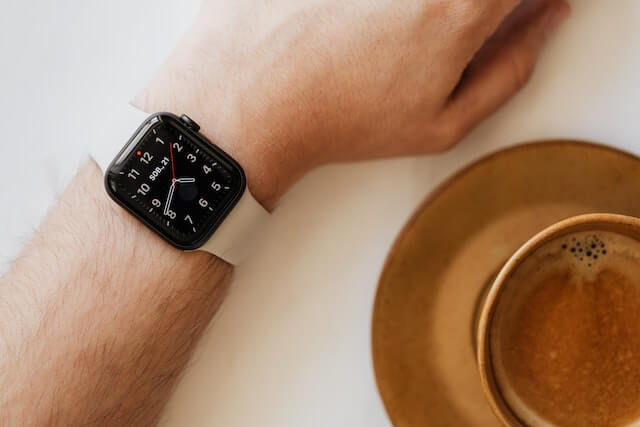
Multiple benefits come with a fitness tracker. Fitness and health are not the only good thing about having a smartwatch tied around your wrist.
The scope of having head-strong fitness trackers is quite more than a mind can figure out. We purchase a smartwatch for some known reason, and after using it for quite a long time, we get to know more about the other features it offers to its users. Listed below are some of the advantages that might help you decide about purchasing heart strong fitness trackers.
Fitness Accountability
Fitness trackers can record activity, show progress toward goals, and send reminders that support consistency. Some apps offer automated insights, but these are suggestions based on device data, not individualized coaching or medical advice. Use reminders as prompts, and adjust goals to your abilities and recovery needs.
Your Daily Motivator
Activity reminders and achievable goals can encourage you to move more consistently. Calorie-burn figures are estimates, so treat them as rough context rather than exact energy expenditure. If you miss a goal, review whether it was realistic and return to a sustainable routine instead of pushing harder just to satisfy a device target.
Your Goal Setter
You can use a smartwatch to set activity targets, schedule workouts, and review progress over time. It can help you track a goal, but it cannot guarantee results. Choose milestones that fit your current fitness, increase effort gradually, and allow time for rest and recovery.
Your Food Watcher
Some smartwatch companion apps let you manually log food, hydration, or body weight, while others require a separate app or subscription. These logs can help you notice habits, but the watch cannot determine exactly how many calories your body needs or guarantee that a diet is appropriate. For nutrition or weight-management concerns, use reliable guidance from a qualified health professional.
Distant Yet Connected
You might be distant from your phone, but wearing a heart strong fitness tracker around your wrist will help you stay connected. Smartwatches are used for more than one purpose nowadays, and people are getting used to it social media connected feature. The alerts and notifications pop up on your smartwatch, reminding you about your incoming texts or calls. Apart from that, social media notifications also appear like they would have appeared on the screen of your smartphone. This way, you are distant yet connected with your smartphone, and you can easily work out while keeping your phone aside.
Your Sleep Monitor
Many smartwatches estimate sleep duration and, on supported models, sleep stages or overnight trends. These estimates can help you notice patterns, but they do not diagnose sleep disorders or explain every cause of poor sleep. If sleep problems persist or affect daily life, seek advice from a qualified healthcare professional. Google’s Sleep Tracking Guidance explains that its sleep features are for general wellness rather than diagnosis.
Your Heart Rate Monitor
Many fitness smartwatches estimate heart rate using optical sensors and can display changes during exercise. The readings can be affected by fit, movement, temperature, and workout type, so use them as a guide to intensity and longer-term trends rather than a clinical measurement. A smartwatch is not a substitute for medical evaluation, and symptoms should never be dismissed because a device reading looks normal.
Related Smartwatch Guides
- Topreviewd Home for more watch and smartwatch guides.
- Best Smartwatch for an Active Lifestyle.
- Best Smartwatches for Athletes.
- Best Smartwatches for Hiking: GPS, Maps, and Battery Life.
- Best Smartwatch for Activity Tracking.
- Smartwatch Features and Benefits.
How This Guide Is Researched and Kept Current
This guide is a research-based buying guide, not a claim that every smartwatch listed or discussed has been personally tested by Topreviewd. Recommendations focus on matching features to real use cases and explaining known limitations. We reviewed manufacturer help documentation for activity, heart-rate, and sleep tracking, alongside public-health guidance on physical activity. Feature availability, app requirements, subscription terms, and specifications can change by model, software version, and country, so confirm details with the manufacturer before purchase. For corrections or questions, visit Contact Us.
About the Author
Abdul Khader is a watch enthusiast, researcher and writer at Topreviewd. He writes practical guides that help readers compare watch features, understand limitations and make informed decisions across different budgets. His approach is to check manufacturer specifications, consult official support documentation, compare relevant independent sources and distinguish published facts from estimates or opinion.
Topreviewd publishes watch and smartwatch guides to help readers understand features and compare options. Readers can share feedback or request a correction through the Contact Us Page.