A smartwatch is more than a digital watch, but its value depends on which features you will actually use. It can bring calls, messages, fitness records, navigation prompts, payments, and selected health information to your wrist, helping you check useful details without reaching for your phone every time.
This guide explains 15 practical smartwatch features and benefits, what each one can and cannot do, and the trade-offs to consider before buying. It is written for US shoppers, where phone compatibility, cellular carrier support, app availability, payment-bank support, and emergency features can vary by model and region.
Written by Abdul Khader, researcher and writer at Top Reviewd. Last updated: November 5, 2026
What is a Smartwatch?

A smartwatch is a wearable computer designed to be worn on the wrist. Most models pair with a smartphone through Bluetooth and a companion app. Depending on the device, they can show notifications, record activity, run apps, display maps or directions, and perform selected tasks without opening a phone.
Some watches also include Wi-Fi or cellular connectivity, GPS, a microphone, a speaker, and contactless payment hardware. Those functions are not universal. A Bluetooth-only model usually depends on a nearby phone for connected features, while a cellular model may need a separate carrier plan. The exact capabilities depend on the watch, phone, software, app, and country.
For more detail, see our guides to What Makes a Smartwatch User-Friendly and Smartwatch Fitness Tracking.
15 Smartwatch Features and Benefits
These are common functions across the smartwatch market. No single model includes every feature, and some capabilities require a compatible phone, app, subscription, cellular plan, or supported bank. Check the exact model specifications before assuming a feature is included.
1. Quick Access to Time, Date, and Watch Faces
A smartwatch keeps the time visible while adding alarms, timers, stopwatch functions, calendar views, and multiple time zones. Many models let you customize the watch face with the information you use most, such as the date, next appointment, weather, or activity summary. These small conveniences can make it easier to check essential information at a glance.
2. Calls From Your Wrist
Compatible watches with a microphone and speaker can let you answer calls without taking your phone out of a bag or pocket. Some Bluetooth models need the phone nearby, while cellular versions may support calls independently after activation with a compatible carrier. Call quality, carrier support, and emergency-calling capabilities vary, so check the model and plan details before relying on this feature.
3. Text Messages and App Notifications
Wrist notifications can help you notice important calls, texts, calendar updates, and app alerts while your phone is put away. Depending on the operating system and app, you may be able to dictate a reply, use a preset response, or respond with a keyboard. Choose which alerts can reach your wrist so that useful messages do not become a constant source of interruption.
4. Daily Activity and Workout Tracking
Most modern smartwatches can count steps, estimate distance, record active minutes, and log activities such as walking, running, cycling, or gym workouts. Some offer workout plans, automatic activity detection, training summaries, and progress trends. The benefit is a convenient record of movement that can help you notice patterns and build consistency. For more detail, read our guide to Smartwatch Fitness Tracking.
5. Heart-Rate Monitoring and Fitness Zones
An optical sensor on the back of many watches estimates your pulse throughout the day and during workouts. You can use the readings to review exercise intensity, compare sessions, and observe longer-term trends. Wrist readings are not perfect and may be affected by movement, fit, skin contact, and the type of exercise. A smartwatch heart-rate reading is not a diagnosis or a substitute for medical assessment.
6. Sleep Tracking and Routine Awareness
Sleep tracking can estimate when you fall asleep, wake up, and how long you spend in different sleep stages. Regular records may help you notice changing schedules or patterns in sleep duration. Sleep-stage estimates are not the same as a clinical sleep study, and a score should not be used to diagnose a sleep disorder. Use the information as a prompt to build consistent habits rather than a reason to worry about every night’s result.
7. GPS, Maps, and Turn-by-Turn Directions
Some watches include their own GPS receiver and can record outdoor routes, distance, and pace without a phone. Others use the phone’s location or require a data connection for maps and turn-by-turn directions. GPS is useful for walking, running, cycling, and travel, but location accuracy can be affected by tall buildings, tunnels, tree cover, and signal conditions. Do not assume every watch has offline maps or independent navigation.
8. Music, Podcasts, and Audio Controls
A smartwatch can control music playing on a phone, and some models can store downloaded playlists or connect to wireless headphones directly. Streaming away from your phone generally requires Wi-Fi or cellular data and may need a paid music subscription. The small display is suited to audio controls, not to replacing a phone or tablet for watching movies.
9. Contactless Payments
Models with NFC and a supported digital wallet can make contactless payments at compatible payment terminals. You usually need to add an eligible bank card, verify it with the issuer, and set a device passcode. Bank, card, country, and wallet support differ. A tap-to-pay feature is not the same as a general-purpose way to send or receive money from anyone.
10. Voice Assistants and Hands-Free Controls
Built-in voice assistants can set timers, create reminders, start supported workouts, check the weather, control compatible smart-home devices, or answer simple questions. The watch may need an internet connection or a paired phone to process some requests. Voice input is convenient when your hands are busy, although a small screen and background noise can make some tasks easier on a phone.
11. Emergency SOS, Fall Detection, and Safety Tools
Selected models offer Emergency SOS, fall detection, crash detection, location sharing, or the ability to contact emergency services. Availability depends on the model, settings, phone or cellular connection, country, and sometimes a subscription. Automatic detection can miss an event or trigger unexpectedly. For example, Apple states that Apple Watch cannot detect all falls. Set up emergency contacts and review the feature’s requirements rather than treating a smartwatch as a guaranteed safety device.
12. Find Your Phone and Control Other Devices
When paired and within range, a watch can often make a misplaced phone ring or help locate it. Some models also provide remote camera shutter controls, media controls, or basic smart-home actions. These features are convenient for everyday situations, but the phone-finding function may not work when devices are disconnected, powered off, or outside supported network coverage.
13. Weather, Calendar, and Useful At-a-Glance Information
Widgets and complications can display weather forecasts, upcoming appointments, reminders, sunrise and sunset, or travel information. These features reduce the number of times you need to open your phone. Weather and calendar details generally need a phone or internet connection and may depend on location permissions and app settings.
14. Water Resistance and Swim Tracking
Many watches are designed to handle sweat, rain, or swimming, but water resistance is not identical across models. Check the manufacturer’s stated rating and instructions before using a watch in a pool, shower, ocean, or high-pressure water. A water-resistant rating does not make a device waterproof forever, and seals can wear over time. Some models record pool lengths, strokes, and swim duration, while others only offer basic activity tracking.
15. Customization, Accessibility, and Everyday Convenience
Adjustable watch faces, interchangeable bands, vibration alerts, larger text, screen readers, and simplified controls can make a smartwatch more comfortable for different preferences and needs. Some models support medication reminders, cycle tracking, or other personal logs, depending on the app and region. The most useful benefit is choosing a small set of functions that genuinely make your day easier, rather than turning on every available alert.
Smartwatch Health Features: What They Measure and What They Cannot

Heart Rate, Resting Pulse, and Activity Trends
Heart-rate monitoring can show how your pulse changes during rest, daily activity, and exercise. Resting heart-rate trends may be useful context when viewed over time, but an unusual reading can have many explanations, including exercise, stress, illness, medication, and sensor fit. A watch is not a diagnostic device for most heart conditions. For a more detailed discussion, read our guide to Smartwatches for Heart Problems.
ECG and Irregular-Rhythm Notifications
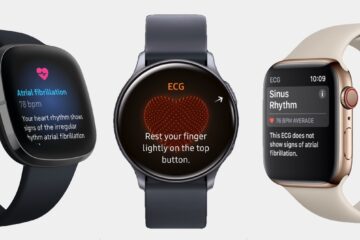
Some models offer an on-demand electrocardiogram or notifications that may identify an irregular pulse pattern. These features are available only on selected devices and may have age, phone, country, and software restrictions. An ECG feature on a watch is not the same as a full clinical ECG and cannot rule out a heart attack or every heart rhythm problem. Discuss an alert or concerning symptom with a healthcare professional.
Blood Oxygen, Temperature, and Other Sensors
Some watches estimate blood oxygen saturation, skin temperature variation, breathing rate, or other signals. These measurements can be useful for personal trends where supported, but their availability and intended use differ by device. They should not be treated as a complete clinical assessment or used to make treatment decisions without medical advice.
Sleep, Stress, and Recovery Estimates
Sleep duration, sleep-stage estimates, stress scores, and recovery indicators are calculated from sensor data and software algorithms. They can help you notice routine changes, but they are not diagnoses and can be wrong. A poor score does not automatically mean something is medically wrong, and a good score does not prove that a health problem is absent.
Important FDA Warnings About Blood Pressure and Blood Glucose
Do not rely on an unauthorized smartwatch feature that claims to measure blood pressure. The US Food and Drug Administration warns that unauthorized wearable blood-pressure functions may provide inaccurate readings and have not been reviewed for safety and effectiveness. The FDA also says that no smartwatch or smart ring has been authorized, cleared, or approved to measure or estimate blood glucose on its own without piercing the skin. Use an appropriate FDA-authorized device and follow your healthcare professional’s advice for these measurements.
Health and fitness functions can support awareness, but they do not replace medical care. Never change medication or delay urgent care based on a normal watch reading.
Pros and Cons of Smartwatches
Main Benefits
- Quick access to calls, messages, reminders, directions, and selected apps.
- Activity and workout records can help you notice patterns and stay consistent.
- Some models provide useful safety functions, such as Emergency SOS or fall detection.
- Contactless payments and music controls can reduce the need to reach for your phone.
- Customizable alerts, watch faces, and accessibility settings can make everyday tasks more convenient.
Main Drawbacks
- Frequent charging can become inconvenient, particularly with GPS, cellular, and always-on display use.
- Many functions depend on a compatible phone, app, account, subscription, or carrier plan.
- Health and activity readings are estimates and can be inaccurate in some conditions.
- Small screens are less comfortable for long messages, maps, browsing, and media.
- Notifications can distract you, while continuous collection of health and location data raises privacy questions.
- A smartwatch is not a replacement for a smartphone, medical equipment, professional advice, or emergency services.
Smartwatch vs. Fitness Tracker: What Is the Difference?
A smartwatch usually combines activity tracking with notifications, apps, calls, payments, and a larger interactive screen. A fitness tracker often focuses on steps, sleep, heart rate, and basic activity records, sometimes with longer battery life and fewer distractions. A dedicated sports watch may offer deeper training metrics, physical controls, and longer GPS endurance than a general-purpose smartwatch.
| What to Compare | Smartwatch | Fitness Tracker |
|---|---|---|
| Primary purpose | Everyday apps, communication, and health or activity features | Activity, sleep, and basic wellness tracking |
| Screen and apps | Usually a larger interactive screen with app support | Often a smaller screen and a simpler interface |
| Calls and messages | Common on supported models, with phone or cellular requirements | Usually limited to notification mirroring |
| Battery life | Varies widely and may require frequent charging | Often longer, depending on display and sensors |
| Best fit | People who want phone-like convenience on the wrist | People who mainly want activity and sleep records |
Neither category is automatically better. Compare the functions you will use, the companion app, battery life, comfort, and total cost. See our guide to Smartwatches for Activity Tracking for more focused fitness comparisons.
How to Choose the Right Smartwatch
Check Smartphone Compatibility First
Confirm that the watch works with your exact phone model and operating-system version. Apple Watch models are designed for iPhone, while Wear OS and Samsung watches generally require compatible Android phones. Garmin and some other brands support both platforms, but app and feature availability may differ. A watch that is incompatible with your phone can lose important functions or fail to set up.
Decide Whether You Need GPS or Cellular
Built-in GPS is useful for recording outdoor routes when you leave your phone behind. Cellular connectivity can provide calls, messages, or data without a nearby phone, but typically requires a compatible carrier, an eligible plan, and recurring fees. If you usually carry your phone, Bluetooth connectivity may be sufficient.
Compare Battery Life and Charging
Look beyond the manufacturer’s headline battery estimate. GPS workouts, cellular service, music streaming, an always-on display, and overnight tracking can reduce runtime. Consider whether you are willing to charge daily or prefer a watch that can last several days between charges.
Make Sure the Watch Fits Your Wrist
Case width, thickness, weight, band length, and sensor placement affect comfort. A watch that feels too heavy may be unpleasant during sleep or workouts. If you have a smaller wrist, compare case dimensions and band adjustment before ordering. Our guide to Smartwatches for Small Wrists covers sizing considerations.
Check Water Resistance and Activity Support
Do not assume that every water-resistant watch is suitable for swimming or diving. Check the manufacturer’s rating and care instructions, including restrictions involving hot water, salt water, and high-pressure water. Also check that the watch has dedicated modes for the activities you actually do.
Review App, Subscription, and Payment Requirements
Some advanced training, coaching, or wellness insights may require a paid subscription. Contactless payments depend on wallet availability and supported banks or cards. Cellular service requires a carrier plan. Add these ongoing costs to the purchase price before deciding that a watch is affordable.
How to Get More Value From Your Smartwatch
- Set up your profile accurately. Enter the requested personal and activity information so that estimates are based on the correct profile.
- Choose useful notifications. Keep calls, messages, calendar alerts, and genuinely important app notifications. Turn off distractions you do not need.
- Set realistic activity goals. Use a manageable daily or weekly target and adjust it as your routine changes.
- Wear and charge it consistently. Follow the manufacturer’s guidance for sensor placement, charging, and cleaning.
- Review trends instead of single readings. Compare activity, sleep, or heart-rate patterns over time and remember that device readings are estimates.
- Check privacy and safety settings. Review app permissions, emergency contacts, location sharing, passcode settings, and health-data sharing.
Smartwatch Privacy and Safety: What to Check
Smartwatches can collect sensitive information, including activity, sleep, heart-rate trends, location, contacts, and notifications. Before enabling health or location features, read the privacy information for the watch, operating system, companion app, and any connected third-party service. Check whether data is stored in the cloud, shared with other services, or used for optional research and personalization.
Use a strong device passcode, keep software current, limit unnecessary permissions, and review emergency-contact and location-sharing settings. If you sell or give away a watch, follow the manufacturer’s steps to remove personal data and unpair it from your account. Apple’s Safety Features and Privacy Overview explains how some emergency features may share location information. Other manufacturers have their own policies and controls.
Can a Smartwatch Help You Become More Active?
A watch can make activity more visible by recording movement, reminding you to stand or move, and showing weekly progress. It cannot make exercise beneficial on its own. The useful part is turning information into a realistic routine that you can maintain.
For general US adult guidance, the Centers for Disease Control and Prevention recommends at least 150 minutes of moderate-intensity aerobic activity each week, or 75 minutes of vigorous activity, or an equivalent combination, plus muscle-strengthening activity on at least two days each week. Activity can be spread across the week, and some movement is better than none. Review the CDC Adult Physical Activity Guidelines for the full recommendations and adaptations for different circumstances.
Are Smartwatches Worth Buying?
A smartwatch can be worth the cost if you regularly use its notifications, fitness tools, GPS, payments, safety options, or app features. It may not be worth buying if you only need to tell the time, rarely exercise, dislike charging another device, or already have a phone that handles the tasks you care about. A simpler fitness tracker or traditional watch may be a better-value choice for some people.
Before purchasing, list the three features you expect to use most often. Check phone compatibility and any subscription or carrier costs, then compare battery life and fit. Explore more practical watch guides on Topreviewd, including our articles on User-Friendly Smartwatches and Fitness Tracking Smartwatches.
Frequently Asked Questions About Smartwatch Features and Benefits
What Is the Main Purpose of a Smartwatch?
A smartwatch brings selected smartphone functions and personal activity tools to your wrist. Depending on the model, it may show notifications, record workouts, monitor heart rate, display directions, make calls, and support contactless payments.
What Are the Biggest Benefits of Wearing a Smartwatch?
The main benefits are convenient access to information, activity tracking, reminders, communication, navigation, and selected safety features. Which benefits matter most depends on your routine, phone, and the functions supported by the watch.
Are Smartwatches Good for Your Health?
They can help some people monitor activity, sleep patterns, and selected health-related trends. They do not automatically make a person healthier, diagnose most conditions, or replace medical equipment. Use readings as supporting information rather than as a substitute for professional advice.
Can a Smartwatch Work Without a Phone?
Some watches can record workouts, show the time, use built-in GPS, store music, or run selected apps without a phone nearby. Other functions need Bluetooth pairing, Wi-Fi, cellular service, or a compatible subscription. Check the exact model because offline capabilities vary considerably.
Can You Make Calls and Send Messages From a Smartwatch?
Many models can show messages and support quick replies. Watches with a microphone and speaker may handle calls when connected to a compatible phone or cellular plan. Some watches only mirror notifications and cannot independently make calls or send messages.
Do All Smartwatches Have GPS?
No. Some have built-in GPS, some use the connected phone’s GPS, and others offer limited location features. If you want to record an outdoor route without carrying your phone, confirm that the exact model has built-in satellite positioning.
Can Smartwatches Measure Blood Pressure or Blood Sugar?
Do not rely on an unauthorized smartwatch feature that claims to measure blood pressure. The FDA warns against unauthorized wearable blood-pressure devices. The FDA also says smartwatches and smart rings have not been authorized, cleared, or approved to measure blood glucose on their own without piercing the skin. Use appropriate authorized equipment for medical monitoring.
Are Smartwatches Safe to Wear All Day?
Most people can wear a properly fitted consumer smartwatch during normal daily activities, but comfort, skin irritation, cleaning, and charging breaks matter. Keep the band clean and dry, avoid wearing it too tightly, and stop using it if it causes persistent irritation. Follow the manufacturer’s care guidance.
How Long Does a Smartwatch Battery Last?
Battery life ranges from around a day on some feature-rich models to several days or longer on others. GPS, cellular use, always-on displays, music, and health tracking can reduce runtime. Compare independent battery tests where available and consider how often you are willing to charge.
Can You Swim With a Smartwatch?
Only when the manufacturer’s water-resistance rating and instructions allow the intended activity. A rating suitable for splashes or rain does not necessarily mean the watch is suitable for pool swimming, diving, hot tubs, or salt water. Check the model’s water-use guidance before swimming.
Do Smartwatches Need a Monthly Subscription?
Basic Bluetooth features often do not need a monthly service plan. Cellular connectivity usually requires a carrier plan, while some premium coaching, health, or fitness insights may require an app subscription. Check the total ongoing costs for the specific model and features you want.
Editorial Note
This article is an educational overview of common smartwatch functions, not a hands-on product test or medical recommendation. Feature descriptions are based on manufacturer documentation and the public-health and safety sources listed below. Availability varies by model, software, phone, country, carrier, and supported financial institution. We do not claim that every smartwatch includes every feature discussed.
Trusted Sources
- Consumer Reports Smartwatch and Fitness Tracker Buying Guide
- AARP Smart Guide to Wearable Health Technology
- FDA Safety Communication on Unauthorized Blood Pressure Wearables
- FDA Safety Communication on Smartwatch Blood Glucose Claims
- CDC Physical Activity Guidelines for Adults
- Apple Safety Features and Privacy Overview
How This Guide Is Researched and Kept Current
We review smartwatch feature descriptions, compatibility requirements, and use limitations against manufacturer documentation and current US consumer guidance. For health-related claims, we prioritize public-health and regulatory sources such as the US Food and Drug Administration and the Centers for Disease Control and Prevention. Current consumer buying guides are used to understand common shopping questions and comparison criteria.
Smartwatch software, apps, cellular support, payment eligibility, and health features can change over time. We update this guide when material changes or better evidence become available. The last-updated date reflects an editorial review, not a claim that every product was physically tested. Readers can report corrections through our Contact Us page.
About the Author
Abdul Khader is a watch enthusiast, researcher and writer, and the person behind Topreviewd. He writes about luxury and designer watches, automatic and quartz movements, materials, sizing, straps, crystals and water resistance, comparing watches across different price points so readers can judge what they get for the money. His approach is practical. He checks specifications, points out when sources disagree, and keeps published details separate from his own opinion. Read more on the About Page, or reach him through the Contact Us page.