Written by Abdul Khader, researcher and writer at Top Reviewd. Last updated: October 30, 2026
When a watch stops ticking, the cause could be simple, such as a depleted battery or an automatic movement that has run out of power. It can also indicate low charge in a solar watch, a stuck crown, moisture intrusion or internal damage after a drop. The right first step depends on the movement, so identify the watch and try only safe external checks before opening the case or attempting a repair.
Quick Answer: First, check whether the crown is fully pushed in, whether a mechanical watch needs winding, or whether a solar watch needs charging according to its manual. A stopped quartz watch may need a new battery. If the watch was dropped, has moisture or fog under the crystal, smells burnt, feels hot, has a stuck crown or still stops after the basic check, stop troubleshooting and contact the manufacturer or a qualified watch repair professional. Do not open a water-resistant watch at home because disturbing the seals can compromise its protection.
Key Takeaways
- Identify whether the watch is quartz, automatic, hand-wound, solar, kinetic or a smartwatch before trying a fix.
- A mechanical watch may only need winding, while a solar watch may need sufficient light exposure and a quartz watch may need battery service.
- Fog under the crystal, water exposure, impact damage, grinding hands or a stuck crown are reasons to stop and seek professional help.
- Avoid removing the caseback, hands or crystal unless you are trained and have the correct tools. DIY disassembly can cause further damage and affect water resistance or warranty coverage.
- If the watch repeatedly stops after winding, charging or a battery replacement, the underlying movement may need diagnosis rather than another temporary fix.
Start With These Safe Checks
Before assuming the watch is broken, place it on a clean, stable surface and inspect it without opening the case. Check whether the crown is pushed fully in, whether a chronograph or timer has simply been paused, and whether the watch has been exposed to water, heat, a strong impact or a powerful magnetic source. If you see a crack, moisture, a loose part inside, or a hand visibly stuck against another hand or the crystal, do not force it to run.
Identify the Movement First
Check the dial, model number, caseback markings or owner’s manual. A quartz watch usually runs on a replaceable battery, an automatic or hand-wound watch uses a mainspring, and a solar watch stores energy from light in a rechargeable cell. A smartwatch may need charging or a software restart. If the movement is unclear, look up the exact model on the manufacturer’s website rather than guessing from its appearance.
When to Stop Immediately
- Water or persistent fog appears inside the crystal.
- The watch was dropped hard, crushed or struck and stopped immediately.
- The crown or a pusher is bent, jammed or unusually difficult to operate.
- The hands scrape each other, grind, or will not move freely.
- The watch gets unusually hot or the case or battery compartment is visibly damaged.
Troubleshooting by Watch Type
| Watch Type | Common Reason It Stops | Safe First Check | When to Get Help |
|---|---|---|---|
| Quartz | Depleted battery or a movement fault | Check crown position and any low-battery indicator in the manual | If a battery change does not resolve it, or the hands stick or jump abnormally |
| Automatic mechanical | Power reserve ran down, winding issue or movement fault | Wind gently according to the manual, then observe whether it restarts | If it will not start after correct winding, stops repeatedly, or was dropped |
| Hand-wound mechanical | The mainspring is unwound or the movement needs service | Wind the crown gently and stop at the resistance described in the manual | If the crown grinds, locks, feels abnormal or the watch remains stopped |
| Solar quartz | Insufficient stored charge or internal fault | Expose it to the light and for the duration specified by the exact model’s manual | If it remains stopped after the prescribed recharge |
| Smartwatch or digital | Empty battery, software freeze or display issue | Use the correct charger and the manufacturer’s restart procedure | If it will not charge, gets unusually hot or shows swelling or damage |
Step-by-Step: What to Check Before Repair
- Identify the watch: Find the brand, model number and movement type from the dial, caseback, documentation or official product page.
- Check obvious controls: Confirm the crown is fully pushed in or secured as instructed, and make sure the watch is not in a setting mode.
- Follow the correct power procedure: Wind a mechanical watch, recharge a solar watch, or charge a smartwatch only according to the manufacturer’s instructions.
- Look for signs of damage: Stop if you see moisture, broken glass, bent controls, loose internal parts or signs of a hard impact.
- Observe whether the problem returns: If the watch stops again after a correct restart, arrange a diagnosis instead of repeating the same attempted fix.
Solar Watch Charging: Follow the Exact Model Instructions
A stopped solar watch may simply have too little stored energy, but charging time depends on the movement, model and light conditions. Check the manual for the required light source and exposure time. Do not assume that a charging period recommended for one Seiko, Citizen Eco-Drive or other solar model applies to another.
What Does a Two-Second Jump Mean on a Solar Watch?
On certain Seiko solar calibers, a second hand that advances in two-second steps signals that the stored charge is extremely low. Seiko’s U.S. support guidance recommends recharging before the watch stops completely. Other brands and movements may use different low-charge indicators, so confirm the behavior in your own watch’s manual.
How Long Should You Charge a Completely Stopped Solar Watch?
Use the charging table for the exact reference. As one model-specific example, Seiko’s U.S. FAQ says that certain completely stopped solar watches may need 5 to 6 hours of sunlight before use, and warns owners not to let the watch become excessively hot while charging. Seiko also advises contacting a service center if the watch remains stopped after the prescribed exposure. This is an example for the models covered by that guidance, not a universal charging time for every solar watch. See the Seiko U.S. Solar Watch Charging FAQ and your own model’s manual.
Citizen gives similar model-specific advice for Eco-Drive watches: expose the dial to light and check the instruction manual for the required charging time. If the watch does not resume normal operation after the recommended charge, contact the manufacturer or a qualified service center instead of repeatedly trying longer exposure or opening the case. See Citizen Watch U.S. Eco-Drive Troubleshooting.
Check the Crown and Time-Setting Controls
A crown left in the time-setting position can stop some watches from running normally. Check whether the crown is fully pushed in or screwed down as the manual directs, and make sure the watch is not still in a setting mode. On a digital watch, check whether the screen is blank, the timer is paused or the device needs charging.
Do not open the case to tighten loose hands yourself. If a hand has fallen loose, catches another hand, or touches the crystal, the watch needs inspection by a watchmaker. Scratches on a crystal also cannot reliably be removed with a sponge, and abrasive polishing may damage coatings or make the problem worse.
If the Watch Was Dropped or Exposed to Water
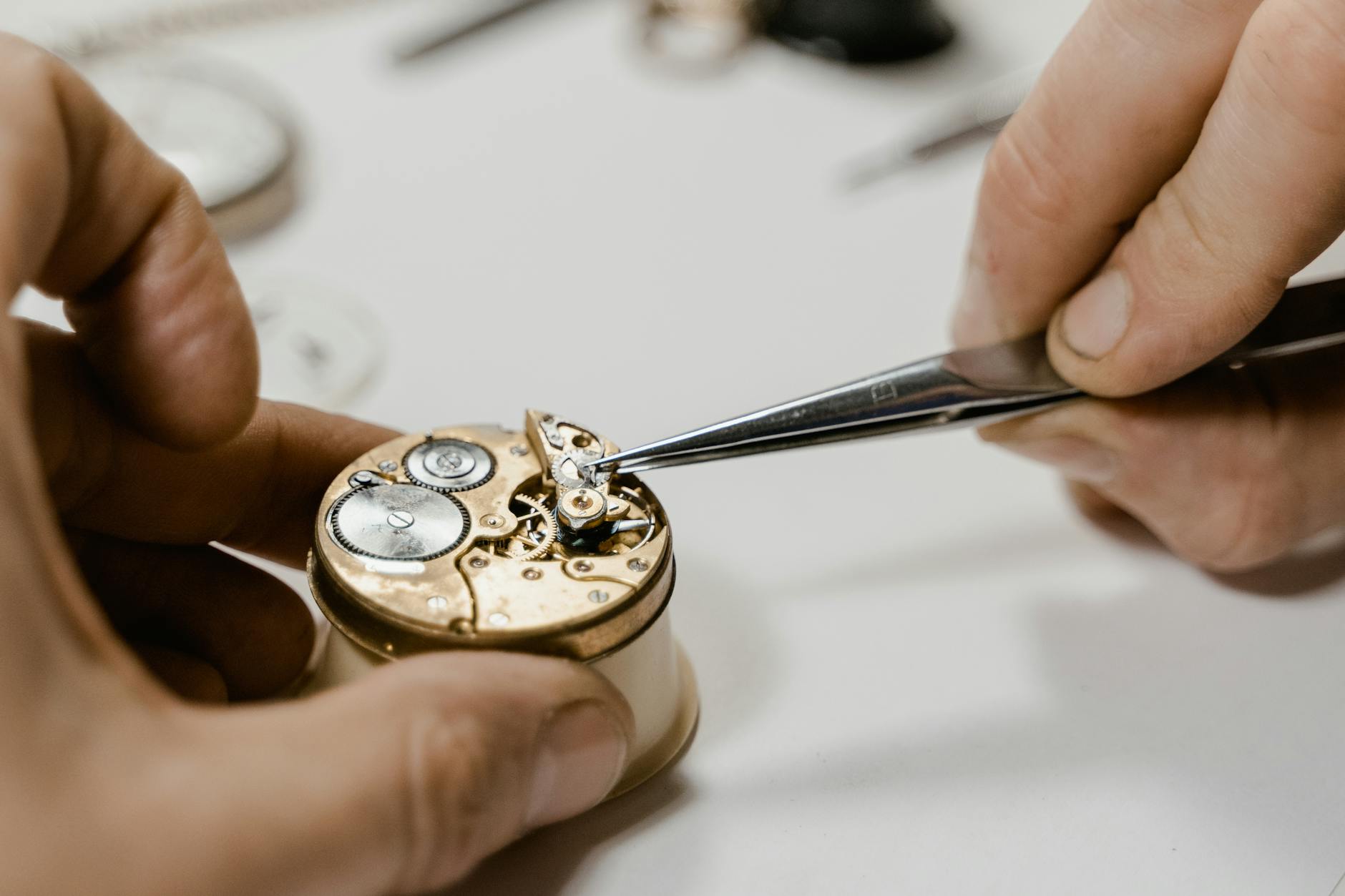
If a watch stops immediately after a hard drop, assume an internal component may have been damaged. Do not shake it, tap it on a table or keep trying to start it. Note what happened and take it to the manufacturer or a qualified watch repair professional.
If you see condensation or moisture under the crystal, stop using the watch and seek service as soon as possible. Do not use a hair dryer, heater, oven or direct high heat, and do not open the case to dry it. Water inside the case can corrode components and compromise seals. A cracked crystal should be professionally replaced, followed by appropriate water-resistance testing if the model is designed to be water-resistant.
If It Is a Quartz Watch, Check the Battery
A conventional quartz watch that has stopped may have a depleted battery, but the battery is not the only possible cause. If the battery is replaced and the watch still does not run, the movement, coil, contacts, hands or internal gear train may need service. A second hand that jumps in larger intervals can be a low-battery warning on some models, but the indicator varies by brand and movement.
For a watch with a screw-down or sealed caseback, water-resistance rating, warranty coverage or valuable finish, have the battery replaced by the manufacturer or a qualified watch technician. Correct battery type, polarity, seals and case closure matter. Opening the case can compromise water resistance unless it is closed and tested correctly. Never try to change a battery in an automatic mechanical watch, which does not use one.
If a Crown or Button Is Stuck
Do not force a stuck crown or pusher, and do not use pliers to pull it out. A screwed-down crown may need to be unscrewed according to the owner’s manual, but if it remains jammed, bent or gritty, stop and seek service. Forcing the control can damage the stem, seals or movement.
If a chronograph or alarm button has stopped responding, confirm the model’s operating instructions and whether the watch has power. If the button is physically damaged or the watch has been exposed to water or an impact, have it inspected rather than disassembling it at home.
If the Chronograph, Alarm or Digital Display Stops
Check the user manual to confirm how the stopwatch, alarm, reset function or display is supposed to operate. Some quartz watches can display a low-battery warning or stop certain functions when power is low. If the screen is blank, the device may need a charge or may have reached the end of its battery life. For a smartwatch, use the manufacturer’s charging cable and prescribed restart procedure.
Do not dismantle the watch or try to tighten internal buttons yourself. If the controls do not respond after the proper power and settings checks, or the display shows moisture, lines or damage, use the manufacturer’s support instructions or a qualified repair service.
Frequently Asked Questions About a Watch That Stopped Ticking
Can a Watch That Stopped Ticking Be Repaired?
Often, yes, but the correct repair depends on the cause. A quartz watch may need a battery or movement service, an automatic watch may need winding, and a solar watch may need charging. A watch that stopped after a hard impact, shows moisture under the crystal, or repeatedly stops after a basic restart should be assessed by a qualified watch repair professional. Do not open the case or remove the hands or crystal as a first step.
Why Has My Watch Stopped Ticking, and What Should I Check First?
Start by confirming the watch type and checking that the crown is in its normal running position. If it is a hand-wound or automatic watch, follow the manual’s winding instructions. If it is solar powered, follow the model’s charging guidance. A conventional quartz watch may need a new battery, while a smartwatch may need charging or the manufacturer’s restart procedure. If the watch still will not run, stops again shortly after restarting, or shows damage, arrange a professional diagnosis.
What Is the Safest Way to Fix a Broken Wristwatch?
Describe the symptoms and check the external controls without opening the watch. You can replace an ordinary strap if you have a compatible replacement and the right tool, but a stopped movement, cracked crystal, bent crown or water damage usually needs a watchmaker or authorized service provider. Never lubricate the movement, remove the caseback or adjust internal parts unless you have proper training and equipment. For a valuable or water-resistant watch, confirm how any repair affects the warranty and water-resistance rating.
Why Did My Watch Stop After a New Battery Was Installed?
A new battery does not rule out a faulty connection, incorrect battery type, damaged coil, stuck hands or another movement problem. The case may also need a new gasket or correct pressure testing after it is opened. If the watch does not restart after a qualified battery replacement, return to the repair provider instead of repeatedly opening the case or trying different batteries.
Why Does My Watch’s Second Hand Jump Every Two Seconds?
On some quartz or solar models, a second hand that advances in two-second steps is a low-energy warning. The exact signal varies by brand and movement, so check the manual. For a solar model, follow the recommended charging procedure. If the warning remains after the specified charge, or the watch still stops, contact the manufacturer or service provider. Seiko explains this behavior for certain solar models in its Official U.S. Solar Watch FAQ.
Why Does My Automatic Watch Stop Overnight?
An automatic watch may have run down because its power reserve was not fully replenished during wear, especially if you were not very active or the watch had been left unworn. Follow its manual for winding and restart instructions. If it stops soon after a correct wind or its power reserve is much shorter than the manufacturer’s specification, it may need service. Do not shake it forcefully to make it start.
Why Did My Watch Stop After Being Dropped?
A sudden stop after an impact may indicate a damaged hand, balance staff, gear, coil or other internal component. Do not tap, shake or open the watch to try to free the mechanism. Note the impact and any new symptoms, then arrange an assessment by a qualified watchmaker or the brand’s service center.
What Should I Do if There Is Fog Under the Watch Crystal?
Fog or condensation inside the crystal can indicate moisture has entered the case. Stop wearing the watch and contact a qualified repair professional promptly. Do not heat it with a hair dryer, place it in an oven, or open the case yourself. Moisture can corrode the movement and may need professional drying, inspection and seal replacement.
Can I Open My Watch at Home to Fix It?
Opening the case is not a safe first step for most owners. It can scratch the case, damage the movement, expose the watch to dust and compromise its water resistance. Start with external checks and the manufacturer’s instructions. Battery replacement, loose hands, a damaged crystal, a stuck crown or suspected water damage are best handled with the correct tools and testing by a qualified service provider.
How Much Does It Cost to Fix a Watch That Stopped Ticking?
Repair cost depends on the cause, watch type, parts availability, brand and whether the watch is under warranty. A battery replacement is usually a simpler job than movement repair, water-damage restoration or replacing a damaged crystal. Ask for a diagnosis and written estimate before approving work, especially for a valuable or sentimental watch.
When Should I Take a Stopped Watch to a Professional?
Seek professional service if the watch has moisture inside, was dropped hard, has a stuck or bent crown, shows hands scraping or grinding, fails after the model-specific recharge or winding procedure, or repeatedly stops after a battery change. A professional can check the movement, seals, power source and water resistance without relying on guesswork.
Related Articles
- How Often Should You Service Your Watch?
- Different Types of Watches: Styles, Movements and Uses
- How Do Watches Work Without Batteries?
- Automatic Watch vs Quartz
- Solar vs Automatic Watch
- Traditional Watch vs Smartwatch
Editorial Note
This article provides basic troubleshooting guidance for U.S. watch owners. The steps are limited to external checks and model-specific instructions. It is not a repair manual and does not replace an assessment by a qualified watchmaker. Opening a case or attempting an internal repair can damage a watch, void warranty coverage or compromise water resistance. When the cause is unclear, get a diagnosis before authorizing repair.
Trusted Sources
- Longines U.S. Guide to a Stopped Automatic Watch, for winding, crown position and when to seek service.
- Seiko U.S. Solar Watch Troubleshooting FAQ, for low-charge indications and charging guidance.
- Citizen Watch U.S. Support: Eco-Drive and Timekeeping Problems, for movement-specific checks.
- CHANEL U.S. Watch Care and Troubleshooting, for common stopped-watch, impact and moisture symptoms.
- Seiko U.S. Instructions and Manuals, for model-specific operating and troubleshooting steps.
How This Guide Is Researched and Kept Current
This guide was reviewed on October 30, 2026 against current U.S.-focused search results and manufacturer troubleshooting information from Longines, Seiko, Citizen and CHANEL. The updated solar section uses Seiko’s published charging example only for the models covered by that FAQ and keeps Citizen’s instruction to check the exact Eco-Drive caliber manual. This is not a hands-on test of every watch, and it does not claim that the same fix applies to every model. Manufacturer instructions for the exact reference take precedence, particularly for winding, charging, battery replacement and water resistance. When a watch does not respond to the correct procedure, or shows signs of impact or moisture, professional diagnosis is the safer next step. For corrections, please use the Top Reviewd Contact Page. You can also visit the Top Reviewd Homepage for more watch guides.
About the Author
Abdul Khader is a watch enthusiast, researcher and writer at Top Reviewd. He writes about watch movements, materials, sizing, crystals, water resistance, servicing and maintenance, comparing manufacturer specifications and practical ownership considerations.
His approach is practical: check the model-specific instructions, distinguish verified specifications from assumptions, and prioritize safe advice for owners. Read more on the About Me Page or contact the site through the Contact Page.