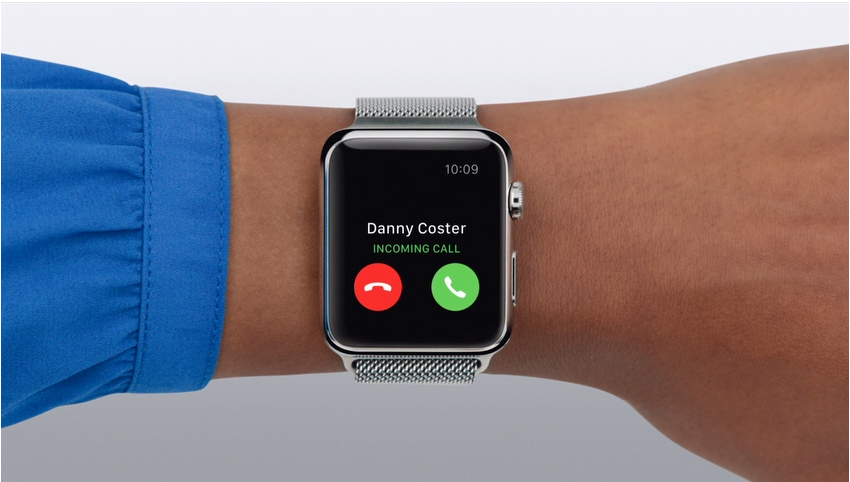
A smartwatch for calls and texting can make it easier to answer people without reaching for your phone. The important detail is how the watch connects. Some models only show notifications, some let you reply while your phone is nearby, and LTE versions can place calls or send messages over a mobile network when the phone is elsewhere.
This 2026 guide compares current options for U.S. buyers, including Apple Watch, Samsung Galaxy Watch, Google Pixel Watch, and Garmin. It explains Bluetooth versus LTE, what you can actually do with texts and messaging apps, which phones each watch supports, and what to check before paying for a separate smartwatch line.
Written by Abdul Khader, researcher and writer at Top Reviewd. Last updated: November 4, 2026
Quick Answer: What Is the Best Smartwatch for Calls and Texting?
For iPhone owners, the Apple Watch Series 12 GPS + Cellular is the most straightforward choice if you want calls and messages on your wrist. For Samsung phone owners, consider the Samsung Galaxy Watch9 LTE. The Google Pixel Watch 5 LTE is a strong option for compatible Android phones, especially if you use Google services. If you mainly want to take calls from your wrist while keeping your phone nearby, the Garmin Venu 4 offers a speaker and microphone, but it is not a standalone LTE watch.
Key Takeaways
- Bluetooth: The watch relies on a nearby paired phone for most calling and messaging functions.
- LTE or Cellular: The watch has its own mobile connection through an eligible carrier plan, so selected calls and messages can work when your phone is not nearby.
- Notifications are not full texting: Viewing a message, sending a preset reply, dictating a new text, and typing a full message are different capabilities.
- Compatibility matters: Apple Watch is designed for iPhone, while current Pixel Watch models require Android. Galaxy Watch and Garmin features vary by phone and app.
- Check the plan before buying: A cellular watch may require an additional monthly line or number-sharing service.
Best Smartwatches for Calls and Texting in 2026
These recommendations are based on current manufacturer information and published buying-guide coverage checked on November 4, 2026. They are matched to phone compatibility and communication needs. Topreviewd has not conducted controlled call-quality or battery laboratory tests on every model listed.
1. Apple Watch Series 12 GPS + Cellular: Best for iPhone Users
The Apple Watch Series 12 GPS + Cellular is the natural starting point for iPhone owners who want calls, Messages, notifications, and apps on the wrist. With an active carrier plan, the cellular model can make and receive calls and stay connected when the iPhone is not nearby. The GPS-only model does not have its own cellular connection, so it depends on the iPhone or a supported Wi-Fi connection for many communication tasks. Apple lists iPhone 11 or later with iOS 27 or later as the compatibility requirement for Series 12.
There is an important messaging detail: Apple says SMS and MMS on a cellular Apple Watch still require the paired iPhone to be powered on and connected to Wi-Fi or mobile service, although the iPhone does not need to be nearby. iMessage can work on the watch over Wi-Fi or cellular even when the iPhone is not powered on. Check Apple’s current Apple Watch Models and Connectivity Options and Message Requirements for Apple Watch before buying.
Best for: iPhone users who want smooth integration with Apple’s Messages, calls, notifications, Siri, and other Apple services.
2. Samsung Galaxy Watch9 LTE: Best for Samsung Galaxy Phones
The Samsung Galaxy Watch9 LTE is a strong choice for Android users, particularly people already using a Samsung Galaxy phone. With active LTE service, Samsung says compatible Galaxy Watch LTE models can make and receive calls and send and receive messages even when the phone is not nearby. The watch also supports on-wrist message composition and quick replies, depending on the messaging app, software, and carrier.
Not every messaging app behaves the same way. Samsung notes that available features vary by model, carrier, and software version. Its Google Messages experience on Wear OS has specific requirements, including a compatible Galaxy phone and Google Messages set as the default messaging app. Review the Samsung Galaxy Watch9 LTE Buying Options and Samsung’s Guide to Sending and Receiving Watch Messages.
Best for: Samsung Galaxy owners who want full smartwatch features, on-wrist calls, and more than simple notification mirroring.
3. Google Pixel Watch 5 LTE: Best for Pixel and Compatible Android Phones
The Google Pixel Watch 5 LTE is designed for Android users who want calls, messages, Google services, and apps while away from their phone. Google says the LTE version can connect directly to a compatible carrier after activation, allowing calls and messages without the paired phone nearby. The Pixel Watch 5 does not support iPhone, and Google lists Android 12 or newer for this model.
For full talk, text, and data functionality, Google says the watch and companion Android phone must use the same carrier network. Messaging behavior can also depend on the app and phone connection, so check Google’s compatibility and texting requirements rather than assuming every message type works independently. See the Google Pixel Watch 5 Product Page and Pixel Watch Compatibility and Region Details.
Best for: Pixel phone owners and Android users who want a Google-focused watch with LTE calling and messaging options.
4. Garmin Venu 4: Best for Calls While Your Phone Is Connected
The Garmin Venu 4 takes a different approach. Its built-in speaker and microphone let you make and answer calls when it is paired with a compatible iPhone or Android phone. It can also use the connected phone’s voice assistant to help respond to text messages. This is convenient when your phone is nearby, but the Venu 4 is not a cellular smartwatch that independently connects to an LTE network for ordinary calls and texts.
Garmin also documents that certain text reply actions require a compatible Android phone connected over Bluetooth. Check the Garmin Venu 4 Feature Announcement and Venu 4 Call Instructions.
Best for: People who value fitness and outdoor tracking but mainly need hands-free calls and voice-assistant messaging while their phone stays connected.
Smartwatch Calls and Texting Comparison
Use this table to compare the communication features that matter most. Confirm the precise model variant, phone compatibility, messaging app, and carrier before ordering.
| Smartwatch | Phone compatibility | Calling without phone nearby | Texting strengths | Best suited to |
|---|---|---|---|---|
| Apple Watch Series 12 GPS + Cellular | iPhone only | Yes, with active cellular service | Messages, dictation, replies, and apps. SMS/MMS still require paired iPhone online | iPhone owners |
| Samsung Galaxy Watch9 LTE | Compatible Android phones, with fuller integration on Samsung phones | Yes, with active LTE service and coverage | Messages, quick replies, keyboard and voice input depending on app and setup | Samsung Galaxy owners |
| Google Pixel Watch 5 LTE | Android 12 or newer; not iPhone | Yes, with an eligible LTE plan | Google Messages and other supported services; some functions depend on phone and carrier | Pixel and Android users |
| Garmin Venu 4 | Compatible iPhone and Android phones | No standalone LTE calling | Phone-connected calls and voice-assistant message replies; some reply features require Android | Fitness-focused users who keep a phone connected |
Bluetooth vs. LTE vs. Wi-Fi: How Smartwatch Calling Works
Bluetooth Smartwatches
A Bluetooth smartwatch connects to your phone over a short-range wireless connection. It can show incoming calls and message notifications, and compatible models may let you answer calls using the watch’s speaker and microphone or send replies from the display. The phone generally needs to be within Bluetooth range for these features to work reliably.
LTE or Cellular Smartwatches
An LTE smartwatch has a cellular radio and usually an embedded eSIM. After you activate an eligible carrier plan, the watch can connect to the mobile network without relying on a nearby phone for every task. Depending on the brand, carrier, and app, this can support calls, texts, streaming, maps, and other online services. LTE models usually cost more and may add a recurring service charge.
Wi-Fi Calling and Messaging
Some watches can use a known Wi-Fi network for selected services when a cellular signal is unavailable. Wi-Fi support does not automatically make every Bluetooth watch independent of its phone. Requirements vary by model, carrier, calling setup, and message type. Check the manufacturer’s instructions for your specific watch.
Can You Text From a Smartwatch?
Yes, but the level of control differs. A basic watch may only display a message preview. Another may offer preset replies such as “On my way.” More advanced models can support speech-to-text dictation, an on-screen keyboard, handwriting, emoji, or a voice assistant. Some messaging apps provide a full watch app while others only send notifications.
Four Levels of Texting Support
- Notification only: Read a preview or see who sent the message.
- Quick replies: Choose a preset response or emoji.
- Full message composition: Dictate, type, handwrite, or use a voice assistant to create a new message.
- Standalone messaging: Use supported messaging features over LTE when the phone is not nearby. Some services still depend on the paired phone remaining powered on and connected.
Before buying, decide which of these four levels you actually need. If you only want to see who is contacting you during meetings, a Bluetooth model may be enough. If you want to leave your phone at home, look for an LTE version and confirm how its messaging app works away from the phone.
SMS, MMS, iMessage, RCS, and WhatsApp: What Is Supported?
Not all messages use the same technology. SMS is a basic text message, MMS supports picture and group messages on supported networks, RCS adds richer messaging features on compatible devices and carriers, and iMessage is Apple’s messaging service. WhatsApp, Telegram, Messenger, and similar services use internet-based apps rather than ordinary SMS.
A watch may support standard SMS replies but have limited support for a third-party app. Some apps let you read a conversation or send a short reply, while others provide voice notes, a keyboard, or calling on selected Wear OS devices. App support can change after software updates. Check the app’s current watch listing and test its exact capabilities before relying on it.
Apple Watch SMS/MMS and iMessage Have Different Requirements
Apple Watch also has a specific distinction between iMessage and SMS/MMS when the paired iPhone is away. Apple states that SMS/MMS delivery requires the paired iPhone to be powered on and connected to Wi-Fi or mobile service, even though it does not need to be nearby. This is one reason it is important to ask whether you need cellular calling, independent iMessage access, or conventional SMS/MMS texting.
Do You Need an LTE Smartwatch Plan in the United States?
If you want the watch to use a cellular network without your phone nearby, you generally need an LTE-capable watch and an eligible smartwatch line or number-sharing add-on. The watch may share your phone number through a carrier feature, but the activation method and supported watch models differ by provider. Apple, Samsung, and Google all require carrier compatibility for cellular features.
Check Whether Your Carrier Supports Your Exact Watch
In the U.S., Apple lists carriers such as AT&T, T-Mobile, Verizon, Metro by T-Mobile, and UScellular for Apple Watch service, but exact model and account eligibility still matter. Verizon’s Number Share service is one example of a plan that can connect an eligible watch to a phone number. Check the provider’s current terms, monthly service charge, taxes, fees, roaming rules, and supported device list before you buy.
See Apple’s Apple Watch Carrier Information, Verizon’s Number Share Requirements, and your carrier’s smartwatch plan page. Do not assume that a phone plan automatically includes a watch line.
What Is an eSIM, and Does a Smartwatch Need a SIM Card?
Most current Apple, Samsung, and Google cellular watches use an embedded SIM, commonly called an eSIM. It is activated digitally through the watch app or carrier rather than by inserting the same physical SIM card used in many phones. A Bluetooth-only model does not become an LTE watch simply by pairing it to a phone with a SIM card.
How to Choose the Right Smartwatch for Calls and Texting
Choose by Your Phone
If you own an iPhone, start with an Apple Watch. If you use a Samsung phone, a Galaxy Watch generally offers the closest integration. Pixel Watch is designed for Android and does not support iPhone. Garmin watches can work with compatible iPhone and Android phones, but message reply options can differ between platforms.
Choose by How You Want to Reply
For a few quick responses, preset replies may be enough. If you regularly write messages, look for voice dictation, an onscreen keyboard, handwriting, or a reliable assistant. Try the input method in person where possible because small displays and speech recognition can make long messages inconvenient.
Check Microphone, Speaker, and Call Quality
A watch with a built-in microphone and speaker lets you make calls without holding the phone, but the small speaker is not designed to replace a phone or headset in every environment. Wind, traffic, background noise, wrist position, and network signal can affect call quality. Bluetooth headphones may provide a better experience in noisy places.
Consider Battery Life With LTE Enabled
Battery estimates in smartwatch mode are not the same as battery life during frequent LTE calls, messaging, GPS use, streaming, and always-on display use. Cellular connectivity can increase power consumption, especially in weak-signal areas where the watch works harder to maintain a connection. If you plan to use LTE regularly, compare battery tests and manufacturer guidance for the cellular model rather than relying only on a general battery claim.
Check Privacy and Notification Controls
Messages can contain personal information, so review notification previews, lock-screen settings, app permissions, and whether the watch requires a passcode when removed from your wrist. You can often choose which apps are allowed to send alerts to the watch. Turn off previews on the watch face if you do not want private message content visible to people nearby.
How to Set Up Calls and Texting on a Smartwatch
- Check the exact watch variant: Confirm that it is the GPS + Cellular or LTE model if you want independent network access.
- Check phone compatibility: Confirm the minimum phone model and operating-system version for the watch.
- Pair the watch: Use the official Apple Watch, Galaxy Wearable, Pixel Watch, or Garmin Connect app.
- Activate cellular service if needed: Follow the carrier activation steps and confirm that the watch appears on the correct line or number-sharing account.
- Allow contacts and notifications: Give the watch access to contacts, microphone, and message notifications only where you are comfortable.
- Set up the messaging app: Choose the supported default messaging service and configure replies, dictation, keyboard, or voice assistant.
- Test away from your phone: For LTE models, make a test call and send a message with Bluetooth disconnected and your phone in another room. Check which functions still work.
Common Smartwatch Calling and Texting Problems
The Watch Shows Calls but Cannot Answer Them
Check whether your watch has a speaker and microphone, whether call audio is enabled, and whether it is connected to the phone or LTE network. Some fitness watches display or decline calls but do not provide full on-watch calling.
Texts Arrive but You Cannot Reply
Some apps send notifications to a watch but do not support replies. Check whether the message app is compatible, whether the watch software is current, and whether your phone’s default messaging app is configured correctly. On Garmin watches, reply features can be limited by phone platform.
LTE Is Not Connecting Away From the Phone
Confirm that you purchased the LTE version, activated a supported plan, and paired the watch with a phone on the required carrier. Check mobile signal, data roaming settings, account eligibility, and whether the watch line is active. Restart the watch after carrier activation if the connection does not appear.
Messages Are Delayed or Missing
Check Do Not Disturb, Focus, notification permissions, app background settings, Bluetooth or Wi-Fi status, and whether the paired phone is powered on and online when the service requires it. For Apple Watch SMS/MMS, Apple specifically requires the paired iPhone to be powered on and connected to Wi-Fi or mobile service.
Related Smartwatch Guides
Compare other wearable features in our Best Cheap Smartwatch for iPhone, User-Friendly Smartwatch Guide, Best Smartwatch for Activity Tracking, and Best Smartwatches for Hiking articles. You can also explore more watch reviews at Topreviewd.
Are Smartwatches for Calls and Texting Worth It?
A smartwatch is useful if you often miss calls, want quick replies during exercise or work, or prefer to leave your phone in a bag while staying reachable. LTE models add more freedom, but a watch is not a full replacement for a smartphone. Typing long messages, managing complex apps, and viewing attachments are still easier on a larger screen.
A Bluetooth watch may be the better value if your phone is usually nearby. Pay extra for LTE only when you will regularly use calls, messages, maps, or music away from your phone and your carrier supports the watch. Before making a final choice, compare the Topreviewd Watch and Smartwatch Guides for other buying considerations.
Frequently Asked Questions About Calls and Texting Smartwatches
Can a smartwatch make phone calls without a phone?
Yes, if it is a cellular or LTE model with an active compatible plan and network coverage. A Bluetooth-only watch generally needs its paired phone nearby for ordinary calls, although certain Wi-Fi calling features may work in supported configurations.
Can I text from a smartwatch without my phone?
Some LTE watches support messaging when the phone is not nearby. The exact behavior depends on the watch, carrier, and messaging service. Apple Watch SMS/MMS has a paired-iPhone online requirement, while iMessage can work over Wi-Fi or cellular on the watch.
Do all smartwatches need a SIM card?
No. Bluetooth and Wi-Fi smartwatches do not need their own mobile service. Most modern cellular watches use an embedded eSIM that is activated through a compatible carrier, rather than a removable physical SIM card.
What is the difference between a Bluetooth and LTE smartwatch?
A Bluetooth watch uses a nearby paired phone for many connected features. An LTE watch can connect directly to a mobile network after carrier activation, so selected calls, texts, and online services can work when the phone is elsewhere.
Can an Apple Watch send text messages without an iPhone nearby?
A cellular Apple Watch can use iMessage over Wi-Fi or cellular when the iPhone is not nearby. For SMS and MMS, Apple says the paired iPhone must be powered on and connected to Wi-Fi or a mobile network, although it does not need to be nearby.
Can a Samsung Galaxy Watch make calls without a phone?
Yes, an LTE Galaxy Watch with an active supported carrier plan can make and receive calls without the phone nearby. A Bluetooth-only model relies on its connected phone or supported network arrangements.
Can a Google Pixel Watch make calls without a phone?
The LTE version can connect directly to a compatible carrier after activation and make calls when the phone is not nearby. The watch and phone must meet Google’s compatibility and carrier requirements. Pixel Watch is not compatible with iPhone.
Can I use WhatsApp on a smartwatch?
Some Wear OS watches support a WhatsApp app with messaging and selected calling features, while other watches may only show notifications or offer limited replies. Feature availability can change by model, region, software, and app version. Check the current app listing and test the exact feature you need before buying.
Do I have to pay monthly for smartwatch calling?
Not always. Bluetooth calling through a paired phone does not usually require a separate watch line. Standalone LTE service generally requires a compatible plan or number-sharing add-on, which can add a recurring monthly charge. Prices, taxes, and account requirements vary by carrier.
Can a smartwatch call 911?
Emergency calling depends on the watch model, its connection, country, carrier, and emergency feature. Do not assume that every watch app or internet calling service can reach 911. Read the manufacturer’s emergency instructions and keep another way to contact help when you need reliable emergency access.
Editorial Note
This article compares current communication features using manufacturer documentation and published buying-guide coverage. Topreviewd did not conduct controlled tests of call quality, microphone performance, LTE coverage, or message-delivery speed for every model in this guide. Product capabilities can vary by software, carrier, country, and app version. Check the exact model and plan requirements before purchase.
Trusted Sources
- Apple: Current Apple Watch Models and GPS + Cellular Options
- Apple Support: SMS and MMS Requirements for Apple Watch
- Samsung Support: Send and Receive Messages on Galaxy Watch
- Samsung: Hands-Free Features on LTE Galaxy Watches
- Google Store: Pixel Watch 5 LTE Features
- Google Support: Pixel Watch Compatibility and Regions
- Garmin: Venu 4 Calling and Connected Features
- Verizon: Number Share Compatibility and Requirements
- Android Central: Best LTE Smartwatches of 2026
How This Guide Is Researched and Kept Current
We review manufacturer support pages, product specifications, carrier compatibility lists, setup instructions, and published independent buying guides. We compare call capability, message input methods, phone compatibility, LTE and Wi-Fi support, carrier activation, recurring service requirements, battery considerations, and app availability. Manufacturer claims are identified as product capabilities, not as independent Topreviewd laboratory results.
Watch software, carriers, app features, and service plans change over time. This guide was reviewed for U.S. shoppers on November 4, 2026. We update it when device generations, carrier support, or reliable documentation change the buying advice. Report an error or suggest a correction through the Contact Us page.
About the Author
Abdul Khader is a watch enthusiast, researcher and writer, and the person behind Topreviewd. He writes about luxury and designer watches, automatic and quartz movements, materials, sizing, straps, crystals and water resistance, comparing watches across different price points so readers can judge what they get for the money. His approach is practical. He checks specifications, points out when sources disagree, and keeps published details separate from his own opinion.
Read more on the About Page, or reach him through the Contact Us page.