The best smartwatch for activity tracking should help you understand your movement, workouts, recovery, and progress without making you pay for features you will never use. Some watches focus on everyday activity and phone notifications, while others prioritize GPS, structured training, and longer battery life.
For U.S. buyers in 2026, the right choice depends on your phone, the activities you do, and how much detail you need. This guide compares current options for iPhone and Android users, explains which tracking features matter, and shows how to interpret activity data realistically.
Written by Abdul Khader, researcher and writer at Top Reviewd. Last updated: November 4, 2026
Quick Answer: The Garmin Venu 4 is a strong fitness-first smartwatch for detailed training and recovery tools. The Apple Watch Series 12 is a strong choice for iPhone owners, while the Google Pixel Watch 4 suits many Android users and the Samsung Galaxy Watch 9 is a natural fit for compatible Samsung phones. For serious running plans, compare the Garmin Forerunner 970. For a lower-cost smartwatch, consider the Amazfit Active 2. There is no single best model for everyone, and phone compatibility should be checked before buying.
Key Takeaways
- Choose a watch that works with your phone first. Newer Apple Watch models require an iPhone, and current Galaxy Watch models running Wear OS do not support iOS.
- Built-in GPS is useful for outdoor running, walking, and cycling without carrying your phone.
- Heart-rate, step, sleep, and calorie estimates help you follow trends, but they are not perfect measurements.
- Battery life during GPS workouts can be much shorter than the smartwatch-mode figure.
- Comfort and a secure fit matter because an uncomfortable watch is less likely to be worn consistently.
- Choose a dedicated fitness watch if training detail matters more than apps, calls, and other smartwatch features.
Best Smartwatches for Activity Tracking in 2026
These are useful models to compare across different needs, not a claim that Topreviewd has conducted new laboratory tests on every watch. The shortlist reflects current U.S. product information and independent 2026 review coverage. Features, availability, and retailer prices can change, so check the current product listing before purchasing.
| Watch | Best suited to | Why consider it | Important trade-off |
|---|---|---|---|
| Garmin Venu 4 | Fitness-first everyday tracking | Training readiness, recovery tools, multi-band GPS, broad activity profiles, and longer smartwatch-mode battery life than many full-featured watches. | Its app and smart-feature experience differs from watchOS and Wear OS. Check which phone features you need. |
| Apple Watch Series 12 | iPhone owners | Deep iPhone integration, workout tracking, health and sleep features, and a familiar app ecosystem. | It requires a compatible iPhone and typically needs more frequent charging than many Garmin sports watches. |
| Google Pixel Watch 4 | Android users who want a full smartwatch | Fitbit-based activity and sleep tracking, Google apps, and built-in dual-frequency GPS. | Works with Android phones, not iPhones. Some Fitbit services or features may have subscription requirements. |
| Samsung Galaxy Watch 9 | Samsung Galaxy phone owners | Samsung Health, automatic workout detection, fitness and sleep insights, and close integration with Galaxy phones. | Current Wear OS Galaxy Watch models are not compatible with iOS, and some health features depend on phone, region, or app support. |
| Garmin Forerunner 970 | Dedicated runners and multisport training | Advanced training metrics, multi-band GPS, mapping, running tools, and long battery life in smartwatch mode. | It costs more than a basic activity tracker and can be excessive for casual step counting. |
| Amazfit Active 2 | Value-focused smartwatch buyers | Built-in GPS, many workout modes, sleep and heart-rate tracking, and a lower purchase price than many premium watches. | App depth, training analysis, and smart integrations may not match higher-end Apple, Google, Samsung, or Garmin models. |
Independent 2026 roundups also distinguish between a full smartwatch and a simpler fitness band. A band such as the Xiaomi Smart Band 10 may suit someone who mainly wants steps, workouts, and long battery life, but it is not a full replacement for a watch with richer apps, calls, and phone integration. See Android Authority’s Fitness Tracker Picks and TechRadar’s Smartwatch Guide for category-by-category assessments.
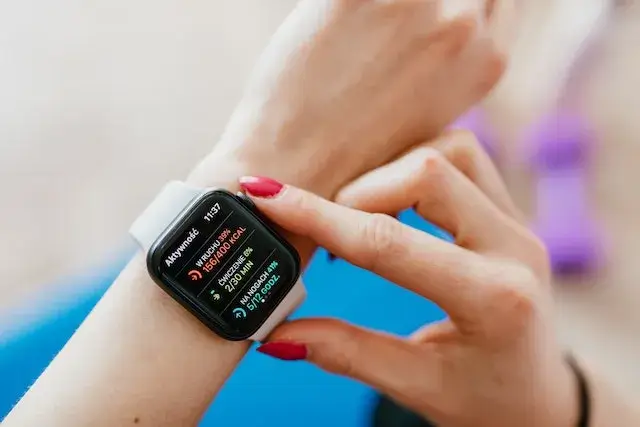
Which Activity Tracking Smartwatch Should You Choose?
The best match is the watch that records the activities you actually do and presents the results in a useful way. A runner training for a race has different needs from someone who wants a daily step count or a reminder to move.
For Everyday Walking and General Activity
Prioritize comfortable all-day wear, step trends, automatic activity recognition, a readable screen, and a simple companion app. Built-in GPS is not essential if you mostly walk indoors or are happy to carry your phone outdoors. An affordable fitness tracker may be enough if you do not need voice calls, apps, or contactless payments.
For Gym Workouts and Strength Training
Look for manual workout recording, heart-rate trends, interval timers, rest-period controls, and a way to review sessions in the app. Rep counting and automatic exercise identification can be convenient, but they may misidentify movements or count repetitions incorrectly. Treat them as prompts to review your session, not a substitute for tracking sets accurately.
For Running and Outdoor Cardio
Built-in GPS, reliable pace and distance data, clear outdoor visibility, interval workouts, and useful training summaries should matter more than the number of watch faces. Runners who train to a plan may benefit from structured workouts, recovery guidance, route navigation, and multi-band GPS. The Garmin Forerunner range is designed around running and multisport training, while the Venu range emphasizes a balance of fitness and everyday smartwatch use.
For Cycling
Check whether the watch can record outdoor GPS rides, pair with the sensors you use, and show useful data without requiring you to look at your wrist constantly. If you ride regularly, a dedicated bike computer may be easier to read and safer to use while moving. A smartwatch can still record rides and help you review trends afterward.
For Swimming
Do not rely on a generic water-resistance label alone. Check that the exact model supports pool or open-water swim tracking, and read its water-use restrictions. Pool-length settings, lap detection, stroke recognition, and post-swim summaries vary. Water resistance is not the same as being waterproof for every depth or water activity.
For Hiking and Outdoor Adventures
Prioritize battery life with GPS enabled, route navigation, a compass and altimeter if useful, readable maps, durable construction, and safety features that work in your area. Downloaded maps and offline navigation can be valuable where cell service is limited. Review our guide to Smartwatches for Hiking for more outdoor-focused considerations.
For Sleep and Recovery Tracking
Look for a comfortable design, dependable overnight wear, sleep duration and schedule trends, resting heart-rate trends, and a battery that can last through the night. Sleep stages and readiness scores are estimates, not clinical sleep studies or definitive measures of whether you are ready to train. If you use sleep features, make charging time part of your routine.
What Features Matter Most in an Activity Tracking Smartwatch?
Step Counting and Daily Movement
Step counts are useful for spotting changes in daily movement, but wrist-based trackers infer steps from motion. Pushing a cart, holding a stroller, cycling, or moving your arms while seated can affect the count. Compare your trends over time rather than treating a single number as exact.
Heart-Rate Tracking
Optical heart-rate sensors estimate pulse from light reflected by blood flow near the skin. Fit, wrist movement, temperature, skin characteristics, and workout intensity can affect readings. A snug but comfortable fit and a clean sensor help. For interval training or activities where wrist readings are unreliable, a compatible chest strap can provide a better reference for some users.
Built-In GPS and Route Tracking
Built-in GPS records an outdoor route without depending on your phone’s GPS. Connected GPS uses a paired phone. Check which method the watch uses, whether it supports multiple satellite systems or multi-band reception, and how long its battery lasts when GPS is active. Trees, tall buildings, tunnels, and poor satellite visibility can still affect a route.
Workout Profiles and Automatic Detection
Choose workout profiles for activities you actually do, such as walking, running, cycling, swimming, strength training, yoga, and interval sessions. Automatic detection is convenient for everyday movement, but starting the correct workout manually can capture more useful details for some activities.
Sleep, Recovery, and Training Load
Some watches combine sleep, resting heart rate, heart-rate variability, recent exercise, and other estimates into recovery or readiness guidance. These scores are best used as context alongside how you feel, your training history, and rest. Do not let a single score override pain, illness, or advice from a qualified professional.
Battery Life During Real Use
Manufacturers often publish battery estimates for a particular mode. Always-on displays, GPS, music, cellular service, frequent notifications, and continuous sensor features can reduce real-world battery life. Compare the expected time in GPS mode if you do long runs, rides, hikes, or races. A watch that lasts several days can also make overnight sleep tracking easier.
Comfort, Display, and Physical Controls
A lightweight case, suitable case size, comfortable strap, and controls that work with sweaty hands can make a meaningful difference. A bright display is helpful outdoors. Physical buttons can be easier than touch controls during rain, swimming, or intense exercise. Try the watch on if possible, especially if you have a small wrist or plan to sleep in it.
Phone Compatibility, Apps, and Subscription Costs
Check the exact phone and operating-system requirements before choosing a model. Apple Watch Series 12 requires a compatible iPhone, Pixel Watch 4 works with supported Android phones, and Samsung confirms that Galaxy Watch 9 is not compatible with iOS. Some advanced coaching, analysis, or wellness features may depend on an app subscription, phone brand, country, or software version. Confirm what is included without paying extra.
How Accurate Are Smartwatches for Activity Tracking?
Accuracy depends on the metric, device, activity, fit, and conditions. A watch may count steps reasonably well during a steady walk but struggle with arm movements that do not represent walking. Wrist heart-rate readings can be less consistent during rapid changes in intensity, weight training, cycling, or activities that involve gripping equipment. GPS can drift where satellite signals are obstructed.
A peer-reviewed systematic review of commercial wearables found that accuracy varied by brand and measurement. Step and heart-rate estimates were more useful in some settings than calorie or energy-expenditure estimates, which were often much less reliable. The review included earlier generations of devices, so it should not be treated as a direct ranking of current 2026 watches. It does show why different measurements need different expectations.
Manufacturers also acknowledge limitations. Garmin says its activity and fitness metrics are estimates and are not intended for medical diagnosis. Apple provides calibration steps to improve distance, pace, and calorie estimates. Treat wearable data as guidance rather than exact laboratory measurements.
How to Get More Reliable Activity Tracking Results
- Wear it correctly: Position the watch as recommended by its manufacturer, usually above the wrist bone, with a secure but comfortable fit.
- Choose the correct wrist: Set left or right wrist in the companion app when the device offers that setting.
- Enter accurate personal details: Keep height, weight, age, and other requested profile details current because some calculations use them.
- Start the right workout: Select the activity mode when you begin structured exercise, particularly cycling, strength training, or interval workouts.
- Allow GPS to connect: Start outdoor tracking in an open area when possible and wait for a location signal before moving.
- Calibrate when available: Apple recommends an outdoor walk or run of about 20 minutes in a clear GPS area to help improve distance and pace estimates.
- Keep the sensor clean: Wipe sweat and dirt from the back of the watch and the skin under it.
- Update and sync: Install manufacturer software updates and sync the companion app regularly.
- Compare trends, not isolated readings: Look at changes over weeks and compare similar activities under similar conditions.
For more setup and usability advice, see What Makes a Smartwatch User-Friendly? and our guide to How to Connect a Smartwatch.
Smartwatch vs. Fitness Tracker: Which Is Better for Activity Tracking?
A smartwatch is usually the better choice if you want fitness tracking along with apps, notifications, calls, maps, payments, and a more interactive display. A simpler fitness tracker may be better if your main priorities are steps, basic workouts, sleep trends, light weight, and fewer charging interruptions.
| Consideration | Smartwatch | Fitness tracker or band |
|---|---|---|
| Activity tracking | Often includes broad workout profiles, GPS, and richer training features. | Usually covers steps, heart rate, sleep, and common workouts. |
| Smartphone features | More apps, notifications, calls, maps, and payments on supported models. | Usually more limited notifications and fewer apps. |
| Battery life | Can require daily or frequent charging, especially with GPS and a bright display. | Many simpler bands last longer between charges. |
| Cost | Often higher, with optional cellular plans or subscriptions on some models. | Usually a lower starting cost. |
| Best for | People who want a connected device for exercise and everyday use. | People who mainly want movement and health trends. |
There is no need to pay for a premium smartwatch if you only want a daily step count. A dedicated runner may appreciate training features that a simple band does not provide. Compare your needs with Smartwatches for Fitness Tracking and Best Smartwatches for Athletes.
Limitations and Health Data Privacy to Consider
Activity trackers can encourage movement and help you notice patterns, but they do not replace professional medical equipment or clinical assessment. Calorie burn, sleep stages, stress, blood oxygen, and readiness are estimates. Do not use a smartwatch to diagnose a condition, change medication, or ignore symptoms. If a device reports an unexpected result or you feel unwell, discuss it with a qualified healthcare professional.
Before buying, review what information the companion app collects, how it shares data, whether you can export or delete your history, and which features require an online account. Read the privacy policy and app permissions, particularly if you plan to share health or location data with third-party services.
Frequently Asked Questions
What Is the Best Smartwatch for Activity Tracking Overall?
There is no universal winner. The Garmin Venu 4 is a strong fitness-first option, Apple Watch Series 12 is a strong choice for iPhone owners, Pixel Watch 4 suits many Android users, and Galaxy Watch 9 is designed for compatible Android phones. Choose based on phone compatibility, activity type, battery expectations, and the training features you will use.
Which Smartwatch Is Best for Activity Tracking With an iPhone?
Apple Watch Series 12 is a natural starting point for iPhone owners because it integrates with Apple’s apps and services. Garmin watches also work with compatible iPhones and are worth comparing when longer battery life or detailed training tools matter more than Apple-specific apps.
Can a Smartwatch Track Activity Without a Phone?
Yes, if the watch has built-in GPS and supports recording the activity independently. Some features, such as music streaming, calls, maps, or syncing, may still need a phone, Wi-Fi, or cellular connection. Check the exact model’s GPS and offline features before leaving your phone behind.
Are Smartwatch Calorie Counts Accurate?
Calorie-burn figures are estimates based on information such as movement, heart rate, age, height, weight, and the manufacturer’s algorithm. They can differ significantly from actual energy expenditure. Use them to follow broad trends, not as an exact measurement for food intake or medical decisions.
Can I Swim With an Activity Tracking Smartwatch?
Only if the manufacturer says the exact model is suitable for your intended water activity. Look for a pool or open-water swim profile and read the water-resistance restrictions. A water-resistance rating does not mean the device is suitable for every depth, high-speed water sport, sauna, or hot tub.
Is a Fitness Tracker Better Than a Smartwatch for Steps?
Not necessarily. Both can estimate steps. A simple band may be lighter and last longer between charges, while a smartwatch offers more apps and workout options. Fit, wearing position, software, and movement patterns can affect step counts on either type of device.
Is the Samsung Galaxy Watch 9 Compatible With iPhone?
No. Samsung lists Galaxy Watch 9 among the Wear OS models that require a compatible Android phone and are not supported on iOS. Check Samsung’s current compatibility information before purchasing an older or newer Galaxy wearable.
Do I Need a Subscription to Use Activity Tracking Features?
Basic step counts and workout recording are often included, but some brands place advanced coaching, long-term trends, or detailed wellness insights behind a paid plan. Features and subscription terms change. Review the current app plan before buying and check which features remain available without a subscription.
How Tight Should an Activity Tracking Watch Be?
The watch should sit securely against the skin without pinching or restricting circulation. A loose band can interfere with optical heart-rate readings, while an excessively tight band can be uncomfortable. Follow the manufacturer’s fit guidance and adjust the strap for workouts when appropriate.
Editorial Note
This is an independent buying guide for U.S. readers. Product categories and recommendations are based on published manufacturer specifications and independent review coverage available on the update date. Topreviewd did not conduct a new instrumented side-by-side laboratory test of every model listed here. We distinguish published specifications from editorial assessment and encourage readers to confirm compatibility, included features, and current pricing before buying.
Trusted Sources
- Apple Watch Series 12 Technical Specifications
- Apple Support: Calibrate Your Apple Watch for Improved Workout and Activity Accuracy
- Google Pixel Watch 4 Technical Specifications
- Samsung Galaxy Watch 9 Product Information
- Samsung Galaxy Watch Compatibility Requirements
- Garmin Venu 4 Product Comparison and Specifications
- Garmin Activity Tracking and Fitness Metric Accuracy Disclaimer
- Amazfit Active 2 U.S. Product Information
- Consumer Reports Smartwatch and Fitness Tracker Buying Guide
- Android Authority: Fitness Trackers Tested in 2026
- TechRadar: Best Smartwatches of 2026
- Systematic Review: Accuracy of Commercial Wearable Devices
How This Guide Is Researched and Kept Current
This guide is reviewed using manufacturer specifications, compatibility and support documents, independent product testing, and published research on wearable measurement accuracy. The shortlist is organized by use case rather than declaring one model best for every person. We check the limits of advertised battery life, GPS and sensor performance, phone compatibility, subscription requirements, and regional feature availability. Where Topreviewd has not performed a direct laboratory test, the article identifies its recommendations as a synthesis of published sources rather than first-hand test results. Product software, prices, availability, and features can change, so readers should confirm details with the manufacturer before purchasing. Explore more watch and wearable advice on Topreviewd Watch Guides, or send corrections through our Contact Us page.
About the Author
Abdul Khader is a watch enthusiast, researcher and writer, and the person behind Topreviewd. He writes about luxury and designer watches, automatic and quartz movements, materials, sizing, straps, crystals and water resistance, comparing watches across different price points so readers can judge what they get for the money. His approach is practical. He checks specifications, points out when sources disagree, and keeps published details separate from his own opinion. Read more on the About Page, or reach him through the Contact Us page.