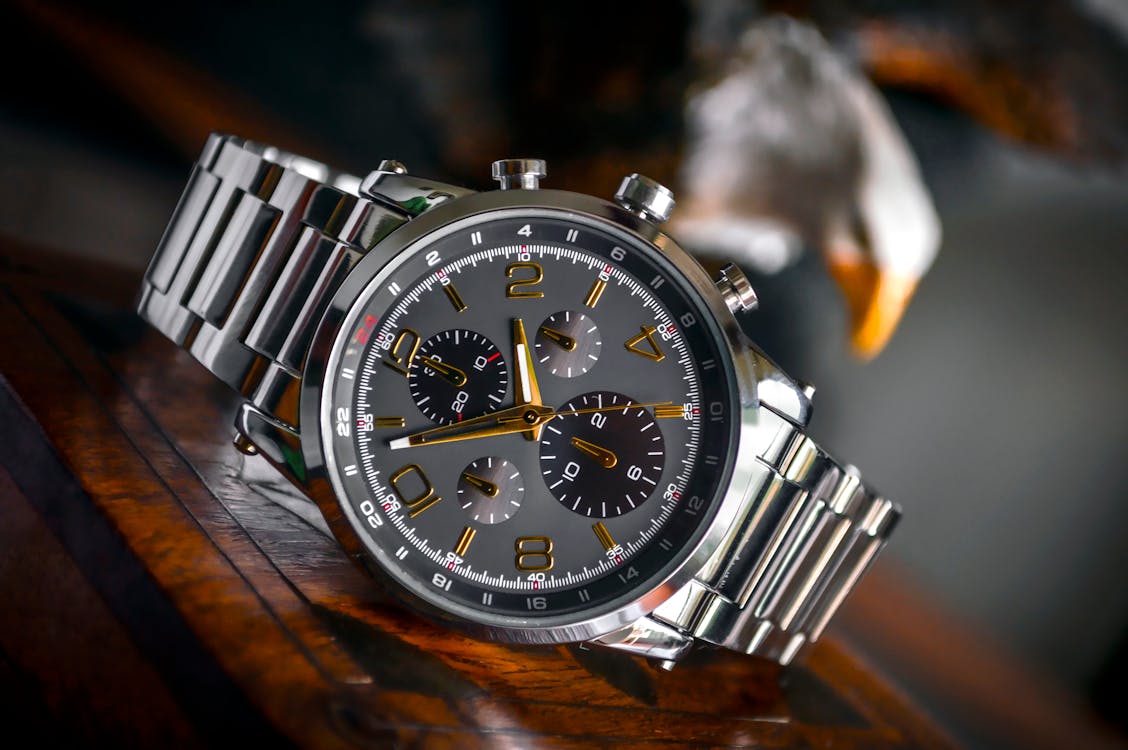
The best smartwatch for kids should match your child’s age, independence, school rules, and your family’s communication needs. Some children need only a simple activity tracker, while others may benefit from a watch that can call approved contacts, share location, or send an emergency alert. The most useful choice is not necessarily the one with the most features. It is the one your child can use responsibly and your family can manage safely.
For a focused first communication watch, compare the Gabb Watch 3e and Verizon Gizmo Watch 4. Garmin Bounce 2 is worth considering for active children who want games and activity tracking alongside calling and location tools. Bark Watch adds parent monitoring of texts, photos, and videos, while Apple Watch SE 3 with Apple Watch For Your Kids offers more flexibility for families already using an iPhone. Each option has different carrier, subscription, privacy, and school-mode requirements.
This USA-focused guide compares current models using official product details, service-plan information, and independent 2026 buying guides. We explain recurring costs and the limits of GPS tracking rather than treating a connected watch as a guarantee of child safety. We have not personally tested every model listed, so recommendations are based on published specifications and clearly attributed third-party testing.
Written by Abdul Khader, researcher and writer at Top Reviewd. Last updated: November 5, 2026
Quick Answer
For a first kids smartwatch with restricted communication, compare Gabb Watch 3e and Verizon Gizmo Watch 4. Garmin Bounce 2 is a stronger fit for children who enjoy activity challenges and want calling plus location features. Bark Watch adds monitoring of messages and shared media, while Apple Watch SE 3 with Apple Watch For Your Kids suits older children in families already using an iPhone. Before choosing, check the cellular plan, parent app, privacy settings, school rules, and whether the watch can contact emergency services or only approved contacts.
Best Smartwatches for Kids in 2026: Comparison
These models address different needs. Prices and plan details below are US manufacturer or carrier prices checked on November 5, 2026. Promotions, taxes, activation charges, and contract terms can change. A monthly plan is normally required for calling and live location on connected watches.
| Model | Best For | Device Price | Service Cost | Main Trade-Off |
|---|---|---|---|---|
| Verizon Gizmo Watch 4 | Verizon families wanting calling and safe zones | $179.99 retail | $10/month plus applicable taxes and fees | Verizon service required, and it cannot dial 911 |
| Gabb Watch 3e | A first communication watch with fewer distractions | $229.99 | $12.99 to $17.99/month depending on contract | Requires Gabb cellular service |
| Garmin Bounce 2 | Active children and activity features | $299.99 | $9.99/month | Up to two days of battery life, according to Garmin |
| Bark Watch | Parents who want message and media monitoring | $288 | $15/month | Higher ongoing cost than some alternatives |
| Apple Watch SE 3 GPS + Cellular | Older children in an iPhone household | From $279 for the 40mm cellular model | Carrier watch plan required | More features and settings to manage |
The Best Kids Smartwatches to Consider
1. Verizon Gizmo Watch 4: Best for Families Already Using Verizon
Device price: $179.99 retail. Verizon lists the Gizmo Watch 4 with a $10 monthly watch service charge, plus applicable taxes and fees. The fourth-generation watch adds watch-removal alerts, location tracking, customizable safe zones, a school mode, video calling, step counting, and up to 40 trusted contacts. Verizon states a battery life of up to three days, which depends on use and network conditions. See Verizon Gizmo Watch 4 Pricing, Verizon’s Gizmo Watch 4 Launch Details, and Verizon Family Support.
Why consider it: This is a practical choice if your family already has Verizon coverage and wants a simple way for a child to call and message approved people. Parents manage contacts and location tools through the Verizon Family app. Watch-removal alerts and school mode can be useful additions for school-age children.
What to consider: The watch requires Verizon service. Most importantly, Verizon’s support information says Gizmo watches cannot call 911 or similar emergency telephone systems. Do not assume that an SOS or contact shortcut is the same as access to emergency services. Review the exact emergency options and teach your child how to use another way to call for help.
2. Gabb Watch 3e: Best First Smartwatch With Fewer Distractions
Device price: $229.99, plus a Gabb cellular plan. Gabb lists plans at $12.99 per month with a two-year contract, $15.99 with a one-year contract, or $17.99 month to month. The Watch 3e is marketed for ages 5 to 12 and includes GPS tracking, safe-zone alerts, parent-approved contacts, calling and texting, focus and silent-mode scheduling, and no social media or open internet browser. Its product information also lists IP68 water resistance and Gorilla Glass 3. See Gabb Watch 3e Product Details and Gabb’s Current Plan Options.
Why consider it: Gabb keeps the feature set focused on communication and location rather than a full app ecosystem. This can make it a suitable first connected watch for a younger child who needs a way to contact family but is not ready for a smartphone or unrestricted apps.
What to consider: GPS and calling depend on an active Gabb plan and cellular coverage. The longer contract lowers the listed monthly rate but commits your family for longer. Calculate the full cost and cancellation terms before checkout, and check whether your child needs voice calling, texting, location, or only an activity tracker.
3. Garmin Bounce 2: Best for Active Children and Activity Challenges
Device price: $299.99, with a Garmin-managed kids smartwatch plan at $9.99 per month for LTE features. Garmin lists two-way calling, voice and text messaging, location and safety features, activity profiles, chores and rewards, and music options. The Bounce 2 has a 1.2-inch AMOLED display and is rated for up to two days of battery life. Garmin notes that connected features and LTE conditions affect actual runtime. See Garmin Bounce 2, Garmin’s Bounce 2 Announcement, and Garmin’s LTE Feature Requirements.
Why consider it: Bounce 2 is a good match for a child who enjoys moving, sports, and activity challenges. It combines kid-oriented activity features with parent-managed communication and location tools. Its subscription is managed by Garmin, so you do not need to move the family’s existing phone service to Garmin.
What to consider: Garmin’s stated battery life is up to two days, not weeks, and LTE usage can reduce it. A child may need to charge it every day or two depending on calls, messages, and tracking. Compare the GPS and activity features with a simpler contact watch before paying the higher device price.
4. Bark Watch: Best for Parents Who Want Message Monitoring
Device price: $288, plus a $15 monthly Bark service plan. Bark Watch offers LTE calls and texts, GPS location, contact management, and an SOS feature. Bark says the watch does not include a web browser, games, or social media, and its parental controls can monitor texts, photos, and videos for potential safety concerns. The device is based on the Samsung Galaxy Watch8 and lists 5 ATM and IP68 durability ratings. See Bark Watch Product Details and Bark’s Current Pricing.
Why consider it: Bark Watch is different from a basic GPS kids watch because Bark emphasizes monitoring of messages and shared media, alongside parent-managed contacts and location. It may suit families already using Bark’s parental-control services across other devices.
What to consider: The $15 monthly plan is required and is separate from the $288 device price. Review what message and media monitoring covers, who can access alerts, what information is stored, and how long it is retained. Monitoring tools do not replace age-appropriate conversations about online behavior and trusted adults.
5. Apple Watch SE 3 With Apple Watch For Your Kids: Best for Older Children in iPhone Families
Device price: Apple lists the SE 3 GPS + Cellular model from $279 for the 40mm size, with larger configurations priced higher. Apple Watch For Your Kids allows a parent or guardian to set up a cellular Apple Watch for a family member who does not have an iPhone of their own. A supported carrier plan is required for cellular connectivity. Parents can approve contacts, manage selected settings, set Schooltime restrictions, and share location through Apple’s family tools. See Apple Watch SE 3 Buying Options, Apple Watch For Your Kids, and Apple’s Family Watch Setup Instructions.
Why consider it: This is a more flexible smartwatch than most child-specific products. It can suit an older child who is ready for more apps and independence, while still allowing parents to manage approved contacts, app access, and school restrictions. The smaller 40mm case is also worth considering for a child’s wrist.
What to consider: You need a compatible iPhone for initial setup and management, a GPS + Cellular Apple Watch, and a supported cellular plan. Some standard Apple Watch features are unavailable when configured through Apple Watch For Your Kids. It also has more app and service options than a locked-down kids watch, so parents should configure it before handing it over.
Kids Smartwatch vs. Fitness Tracker vs. Smartphone
A connected kids smartwatch usually focuses on parent-approved calls, texts, GPS location, and school controls. A fitness tracker focuses on movement and activity goals, often without calling or location sharing. A smartphone offers broader communication and app access, but also requires more detailed screen-time and content management. Choose the least complex device that meets the family’s actual need.
| Device Type | Typical Features | Best Fit | Common Limitation |
|---|---|---|---|
| Kids smartwatch | Approved contacts, calls, GPS, safe zones, school mode | Child who needs basic communication and parent-managed location sharing | Monthly plan, battery charging, location delays |
| Kids fitness tracker | Steps, activity goals, rewards, time display | Child who mainly needs movement motivation | Usually no live GPS, calling, or messaging |
| Smartphone | Calls, messages, apps, web access, camera, location services | Older child ready for broader digital independence | More settings, notifications, apps, and online risks to manage |
What Parents Should Check Before Buying a Kids Smartwatch
GPS Tracking and Safe-Zone Alerts
Look for the type of location service offered, how often it updates, whether the watch needs cellular coverage, and whether parents can create home, school, or caregiver safe zones. GPS is not always pinpoint accurate. Indoor locations, tall buildings, weak cellular service, low battery, and update intervals can delay or shift a location result. Safe-zone alerts can also arrive late or trigger incorrectly. Treat location sharing as one source of information, not a guarantee that you know a child’s exact position at every moment.
Approved Contacts, Calling, and Messaging
Check whether a parent must approve every contact, whether unknown numbers are blocked, and whether children can receive calls from anyone. Find out whether the watch supports voice calls only, text messages, voice notes, or video calls. A smaller approved-contact list can be easier for a younger child to manage. Talk to your child about not sharing their number, location, photos, or personal details with anyone they do not know.
School Mode and Distraction Controls
School mode, Focus, or Do Not Disturb settings can limit games, messages, and other interruptions during class. Check whether parents can schedule these settings remotely and whether emergency contacts remain available. Ask the school about wearable-device rules before buying. Policies may restrict cameras, audio recording, video calling, or all connected devices during lessons and exams.
SOS and Emergency Calling Limitations
Do not assume that every SOS button calls 911. Some products call a sequence of parent-approved contacts, while others provide an emergency service or a 911 function. Verizon states that Gizmo watches cannot call 911 or similar emergency telephone systems. Read the device’s emergency instructions, set up every required contact, and practice with your child. Explain when to approach a teacher, caregiver, security officer, or another trusted adult instead of relying only on the watch.
Test the Emergency Shortcut Before Your Child Uses It
Follow the manufacturer’s test procedure, confirm which contacts receive an alert, and explain what the watch displays after the button is pressed. Avoid placing a test call to 911. If the product’s SOS feature does not directly connect to emergency services, teach your child another reliable way to contact emergency help in your area.
Durability, Water Resistance, and Comfort
Compare case size, weight, band adjustment, screen protection, and the manufacturer’s water-resistance rating. A water-resistant rating does not mean a watch is safe for every swim, shower, bath, or water sport. Read the product manual and make sure the watch fits securely without pinching the wrist. A device that is too heavy or uncomfortable may be left in a backpack or forgotten at school.
Battery Life and Charging Habits
Check battery life with location sharing, LTE, calls, and regular updates enabled, not just the manufacturer’s standby estimate. A watch that needs daily or every-other-day charging may be less useful if the child often forgets to charge it. Choose a consistent charging routine, such as after school or before bedtime, and make sure an adult can check battery status in the parent app.
Kids Smartwatch Monthly Plans and Total Cost of Ownership
The device price is only part of the cost. Connected calling, messaging, GPS, and parent apps usually require a monthly service plan. Using the currently published US prices above, a simple 24-month estimate looks like this, before taxes, fees, promotions, accessories, or cancellation charges:
| Model | Device Cost | Plan Estimate for 24 Months | Illustrative 2-Year Total |
|---|---|---|---|
| Verizon Gizmo Watch 4 | $179.99 | $240 at $10/month | $419.99 |
| Gabb Watch 3e | $229.99 | $311.76 at $12.99/month on a 2-year plan | $541.75 |
| Garmin Bounce 2 | $299.99 | $239.76 at $9.99/month | $539.75 |
| Bark Watch | $288 | $360 at $15/month | $648 |
| Apple Watch SE 3 GPS + Cellular | From $279 | Varies by supported carrier | Check your carrier’s watch-plan price |
These are arithmetic estimates using the listed monthly service rates, not guaranteed checkout totals. Confirm the current contract, taxes, activation fees, coverage, return policy, and what happens if you cancel early. A carrier promotion may lower the device payment while still requiring a new line or a long installment agreement.
Child Privacy, Security, and Location Data
A kids smartwatch can collect sensitive information such as a child’s location, contacts, messages, photos, voice recordings, and device identifiers. Before buying, read the manufacturer’s privacy policy and check who can access the parent account, whether data is shared with third parties, how long location history is retained, and how a parent can delete an account or request data deletion.
In the United States, the Children’s Online Privacy Protection Rule applies to covered child-directed online services and certain operators that know they collect personal information from children under 13. The FTC identifies precise geolocation as personal information under COPPA. The amended rule became effective June 23, 2025, with a general compliance date of April 22, 2026 for most amendments. This is a legal requirement for covered operators, not a certification that a particular smartwatch is risk-free. See the FTC’s COPPA Compliance Guidance and 2025 COPPA Rule Amendments.
- Use a unique password for the parent account and enable two-factor authentication when available.
- Share location only with trusted caregivers and remove access when it is no longer needed.
- Disable camera, microphone, or messaging features that your child does not need.
- Keep the watch, parent app, and phone software updated.
- Teach your child to ask before sharing photos, voice messages, personal information, or their location.
- Review the provider’s data retention, deletion, and third-party sharing policies before activation.
GPS Accuracy and Child Safety: What a Smartwatch Cannot Guarantee
A GPS kids watch may help a parent check a recent location, but it cannot guarantee continuous supervision or immediate rescue. Location can be delayed, a watch can run out of battery, cellular coverage can fail, the child can remove the device, and a safe-zone alert may not arrive on time. A location pin also does not tell a parent what is happening around the child. Build safety around conversations, agreed check-in routines, trusted adults, and age-appropriate independence rather than treating the watch as a substitute for supervision.
How to Set Up a Kids Smartwatch Safely
- Set up the parent account yourself and use a strong, unique password.
- Add only trusted contacts and confirm each number is correct.
- Test location sharing and safe-zone alerts in familiar places before relying on them for school pickup.
- Schedule school mode and agree with the school about when the watch may be used.
- Explain the watch’s SOS behavior and practice who the child should contact in different situations.
- Turn off unneeded apps, games, camera access, voice features, and notifications.
- Agree on when the watch must be charged and how the child should report a low battery.
- Review location permissions, data sharing, subscriptions, and account access from time to time.
Frequently Asked Questions About Kids Smartwatches
What is the best smartwatch for kids in 2026?
There is no single best watch for every child. Verizon Gizmo Watch 4 is a strong choice for Verizon families who want approved contacts and safe zones. Gabb Watch 3e keeps communication features more restricted. Garmin Bounce 2 adds kid-focused activity functions, Bark Watch emphasizes message monitoring, and Apple Watch SE 3 offers more flexibility for an iPhone household.
Do kids smartwatches need a monthly plan?
Most watches that offer standalone calls, messaging, or live GPS need a cellular service plan. The plan may come from the watch manufacturer or a carrier. A simple activity tracker without cellular calling or live location may not need a monthly subscription. Check the plan requirements before buying the device.
Can a kids smartwatch work without a phone?
Some child-specific watches work without the child owning a phone because the watch has its own cellular connection and a parent app manages it. Apple Watch For Your Kids also allows a cellular Apple Watch to be set up by a parent’s iPhone for a child who does not have an iPhone. Requirements differ by model and carrier.
Can a kids smartwatch call 911?
Do not assume that it can. Emergency features differ by product. Verizon says Gizmo watches cannot call 911 or similar emergency telephone number systems. Some other watches may have an SOS function that calls approved contacts or offers a separate emergency feature. Check the exact product documentation and teach your child another way to seek help.
How accurate is GPS tracking on a kids smartwatch?
GPS accuracy varies with satellite visibility, cellular connection, indoor use, nearby buildings, battery level, and the watch’s update interval. A location can be delayed or imprecise. Test the watch in places your child regularly visits and do not rely on geofencing alerts as a guaranteed safety barrier.
What age is appropriate for a child’s first smartwatch?
Readiness depends more on the child’s ability to follow safety rules, keep the device charged, and use calls appropriately than on a fixed age. Some brands publish age guidance, such as Gabb’s stated 5-to-12 range for Watch 3e, but parents should also consider school policies, maturity, and whether a watch solves a real communication need.
Are kids smartwatches safe for school?
That depends on school policy and the device’s controls. School mode can reduce interruptions, but it does not automatically make a watch permitted. Ask the school about cameras, calling, messaging, location sharing, and exam rules before activating the watch for school use.
Can parents track a child all the time with a smartwatch?
Not reliably. The watch must be charged, worn, connected, and able to obtain a location fix. Updates may be delayed, and indoor or poor coverage conditions can reduce accuracy. It is better to treat location history and safe-zone alerts as helpful context than continuous tracking.
What is the difference between a kids smartwatch and a GPS tracker?
A GPS tracker mainly shares a location. A kids smartwatch may add two-way calling, messaging, approved contacts, school mode, activity tracking, and an SOS shortcut. The additional features can be useful, but they may also add monthly costs, screen time, and privacy considerations.
Is a kids smartwatch better than giving a child a smartphone?
A restricted smartwatch can be a middle step for families who want basic communication and location sharing without a full app and browser ecosystem. A smartphone may be more suitable for an older child who needs broader access and can manage it responsibly. Compare your child’s needs, school rules, family boundaries, and the total cost of service.
Conclusion
The best smartwatch for kids is the one that provides only the features your child needs and that your family can manage responsibly. Consider Gabb Watch 3e for restricted communication, Verizon Gizmo Watch 4 for Verizon families, Garmin Bounce 2 for activity features, Bark Watch for message monitoring, or Apple Watch SE 3 for older children in an iPhone household. Compare the full two-year cost, emergency-call behavior, privacy policy, GPS limitations, and school rules before making a decision.
For more related guidance, visit Top Reviewd Watch Guides, see our guide to Smartwatches for Calls and Texting, compare Smartwatches for Athletes, and review our advice on Smartwatches for Small Wrists.
Editorial Note
This is an independent, USA-focused buying guide. Product recommendations are based on published manufacturer or carrier specifications, current US prices and plan information, and independent editorial coverage. We have not personally tested every model. A child’s safety depends on more than a watch, and location sharing, SOS shortcuts, and safe-zone alerts should not be described as guarantees of protection. Prices, features, plans, availability, and service terms can change.
Trusted Sources
- Verizon Gizmo Watch 4 Launch Information and Verizon Family Support and Emergency-Calling Limitations.
- Gabb Watch 3e Official Product Information and Gabb Watch Plan Details.
- Garmin Bounce 2 Announcement and Garmin LTE Feature Requirements.
- Bark Watch Product and Plan Information.
- Apple Watch SE 3 US Pricing and Apple Watch For Your Kids Setup Support.
- SafeWise 2026 Kids Smartwatch Family Testing and Buying Guide.
- Federal Trade Commission COPPA Compliance Guidance and 2025 COPPA Rule Amendments.
- FBI and IC3 Guidance on Internet-Connected Toys and Children’s Privacy.
How This Guide Is Researched and Kept Current
We review manufacturer and carrier product pages, US service-plan terms, setup and support documents, privacy notices, and independent buying guides. We compare features that matter to families, including approved contacts, GPS and safe zones, school controls, calling, battery life, durability, and recurring costs. We distinguish official specifications from third-party hands-on findings and do not claim to have physically tested every model. Privacy and emergency features are checked against the provider’s documentation and relevant US consumer guidance. This guide should be reviewed when models, subscription prices, cellular coverage, or parental-control features change. Readers can report factual corrections through our Contact Us page.
About the Author
Abdul Khader is a watch enthusiast, researcher and writer, and the person behind Topreviewd. He writes about luxury and designer watches, automatic and quartz movements, materials, sizing, straps, crystals and water resistance, comparing watches across different price points so readers can judge what they get for the money. His approach is practical. He checks specifications, points out when sources disagree, and keeps published details separate from his own opinion. Read more on the About Page, or reach him through the Contact Us page.